
Student Affairs
Character development with a record, not just recollection
Achievements, conduct breaches, and pastoral progress recorded and visible to parents
Conduct notes have traditionally lived in a form teacher's notebook, and achievements were only remembered when a competition came around. Once both are captured in the same system, pastoral work stops depending on who happens to remember — and parents see how their child is doing without being called in.
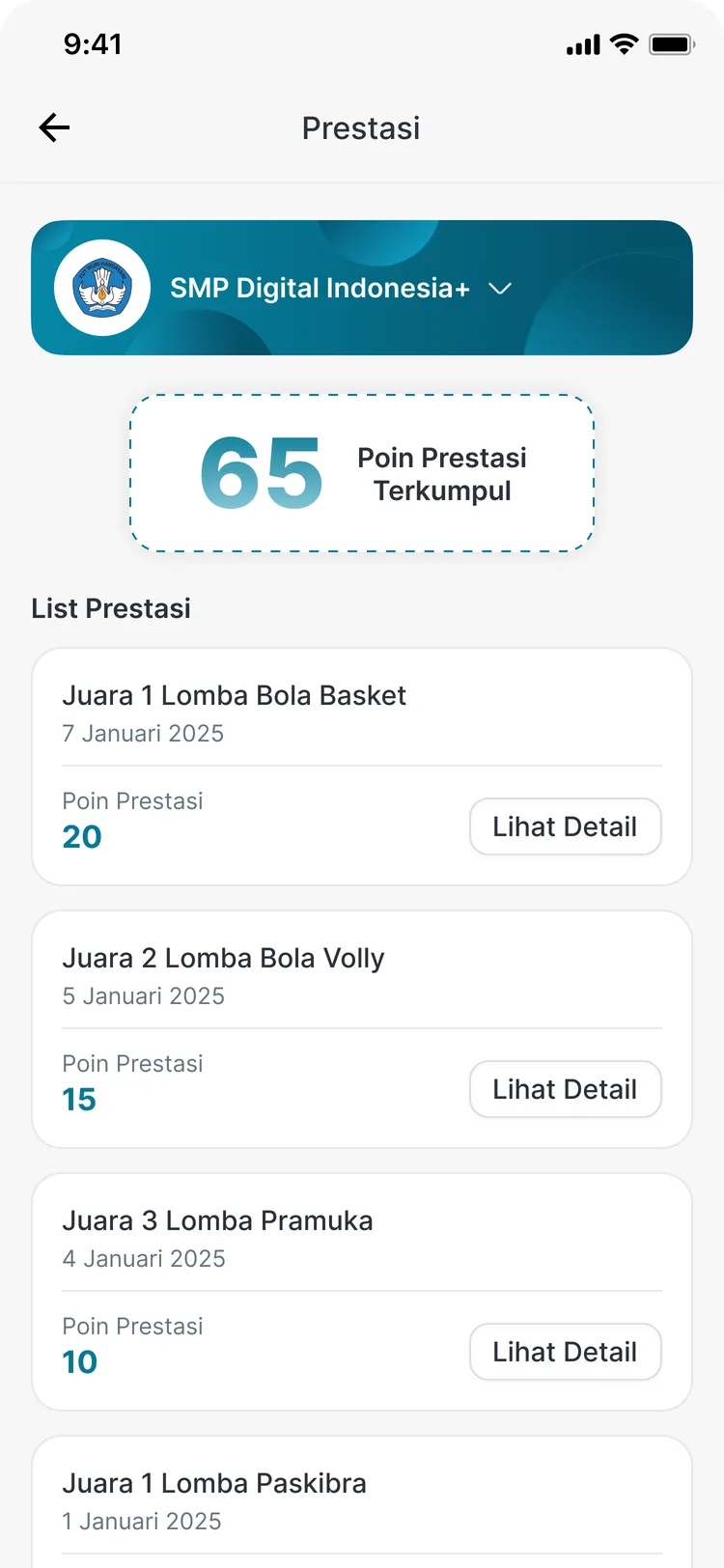
- Achievements and conduct breaches recorded with dates and detail
- Pastoral progress tracked alongside them
- Open to parents through the app
What you get
Not dependent on one teacher
Records live in the system, not in a form teacher's private notebook. When a form teacher changes, a child's pastoral history stays intact.
Achievements do not evaporate
Student accomplishments are documented across the year, giving a basis when the school writes a reference or selects a representative for a competition.
Parents join the effort
Because records are open in the app, parents know earlier and can help address things — rather than being told only once a problem has grown.
Progress you can see
The progress module shows how pastoral work is developing, so improvement in behaviour reads as a process rather than a single incident.
In the app
Three records that complete each other
Parents open all three from the Student Affairs menu in the CARDS app.
Achievements
A student's accomplishments across the year
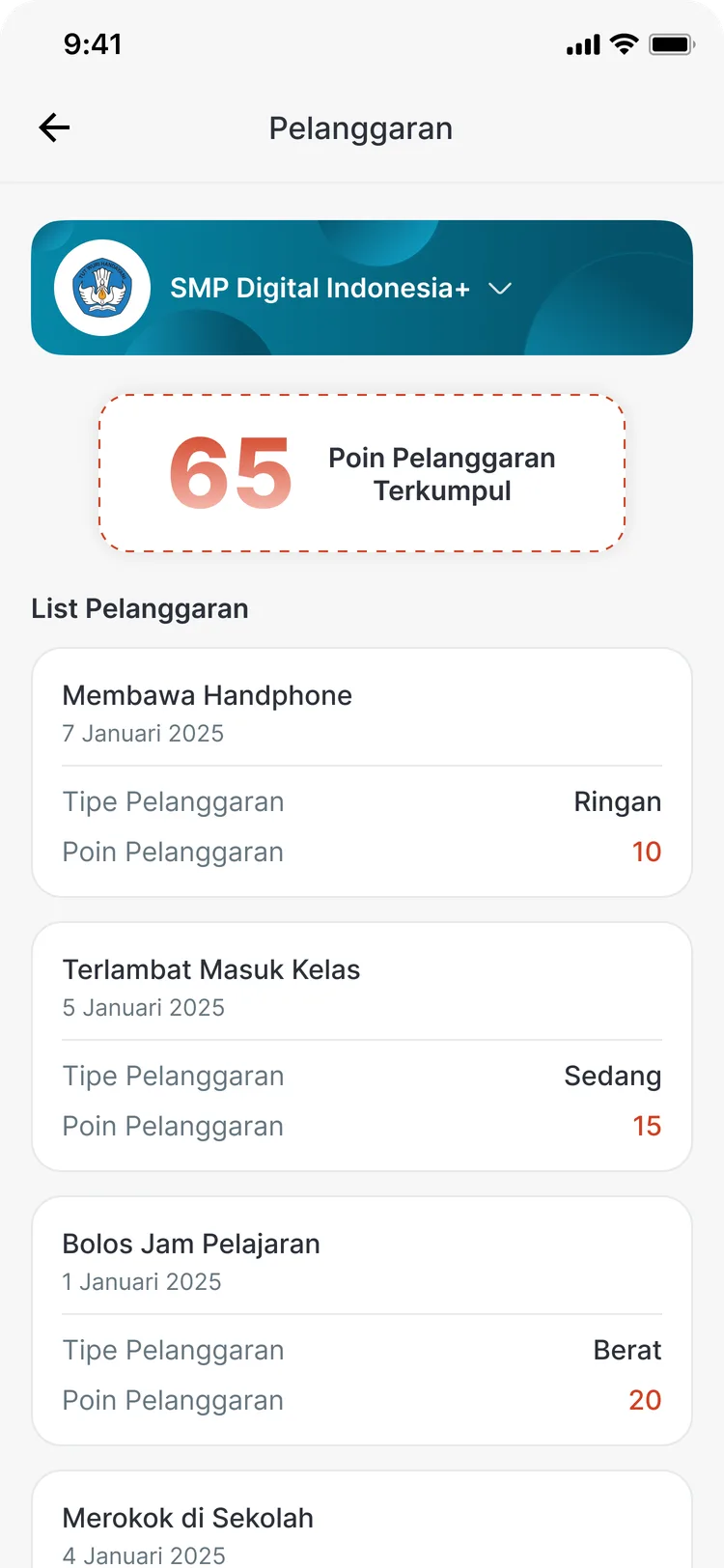
Conduct
Records with their dates and detail
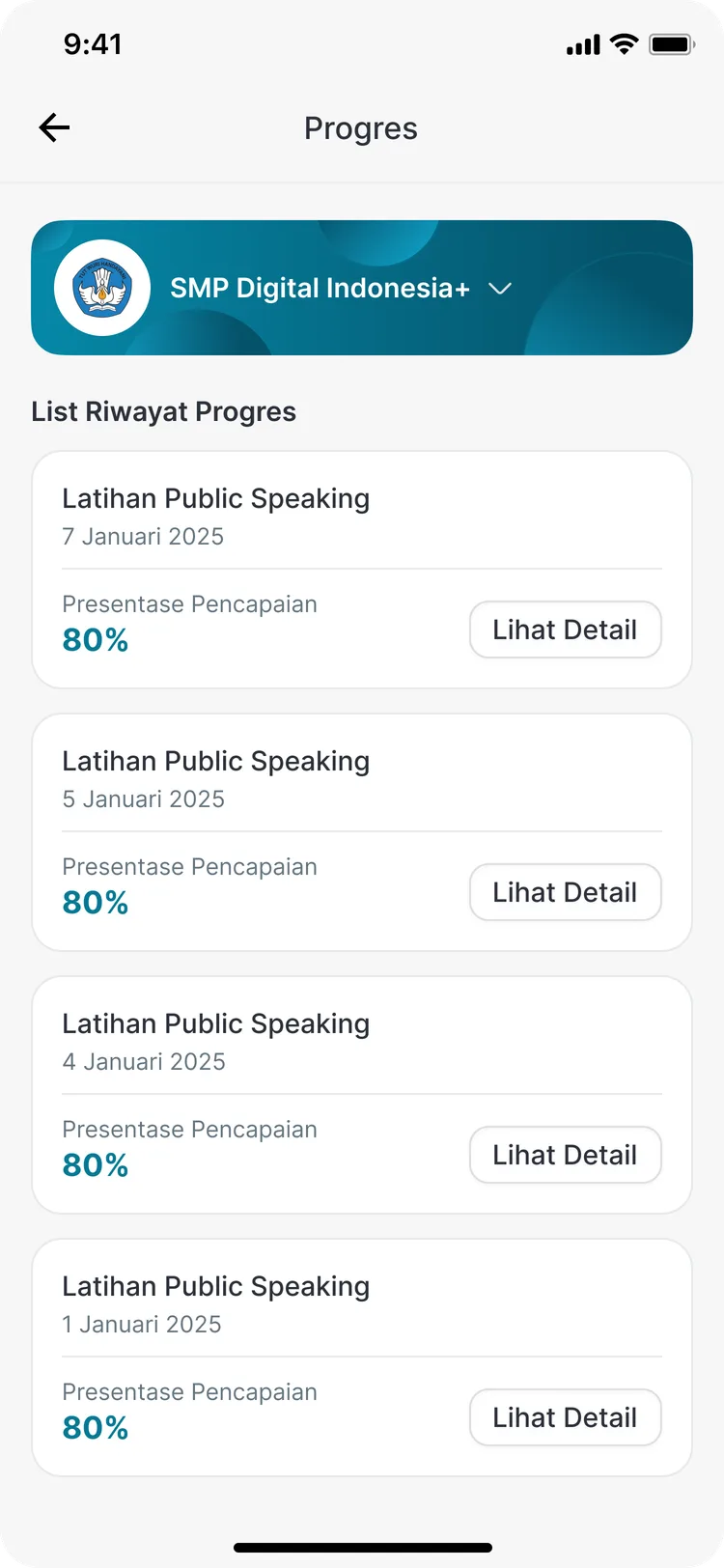
Progress
How pastoral work is developing
FAQ
Questions about Achievements & Conduct
- Are all conduct records immediately visible to parents?
- How openly records are shared follows your school's policy. Either way, they are stored in the system so follow-up does not rest on one teacher's memory.
- Is there a points system?
- The weighting of achievements and conduct breaches, and what follows from them, is configured to match your school's pastoral rules during implementation.
- Who is allowed to add a record?
- Permission to add records is set through user settings, so only the roles you authorise — a form teacher or counsellor, for instance — can fill them in.
Related features
More modules in Student Affairs
- Leave & VisitsStudent leave requests and guardian visits, complete with their approvals.Learn more
- Health & BullyingRecord student health conditions and provide a bullying reporting channel that gets acted on.Learn more
- Qur'an MemorisationRecord students' Qur'an memorisation by surah and juz, with progress you can follow.Learn more
See Achievements & Conduct working at your school
Free demo with our team — or start a trial and set up your own data.