
Cards & Transactions
A points balance that stands apart from spending money
A separate layer of balance on the app home screen, with its own purchases and history
CazhPOIN is a points balance held at the parent account level, separate from the spending money attached to a child's card. Because it stands on its own, points can be managed and moved without disturbing the daily spending limit already set on the card.
- A points balance separate from card spending money
- Point purchases and a history of how they are used
- Fund management from the app home screen
What you get
Separate from the child's spending money
The points balance sits at account level, not on the card. Changes to points do not affect the daily limit or a child's spending balance.
On the first screen
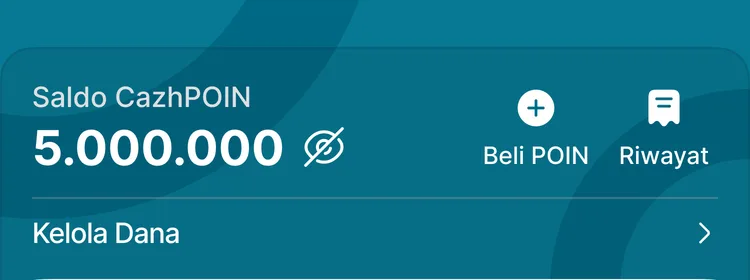
The CazhPOIN balance appears at the very top of the app home screen, so there is no need to hunt through a submenu.
A history you can trace
Every addition and use of points carries its own record, so a change in balance always has an explanation.
Fund management in one place
The fund management menu brings account-level balance settings together, alongside point purchases and history.
In the app
CazhPOIN at the top of the home screen
Placed above the student card, making clear that the two are different balances.
CazhPOIN Balance
Buy points, history, and fund management
FAQ
Questions about CazhPOIN
- How is CazhPOIN different from the card spending balance?
- CazhPOIN is a balance at the parent account level, while spending money is attached to the child's card and subject to the daily limit. The two stand apart.
- How are CazhPOIN added?
- Through the Buy Points menu on the app home screen. Every addition is recorded in the history, so changes in balance can be traced.
- Does every school enable CazhPOIN?
- Availability follows the service configuration at each school. Our team can explain the scope for your particular setup.
Related features
More modules in Cards & Transactions
- Digital Student CardOne card for identity, attendance, and cashless spending — with parents fully in control.Learn more
- Card Top-UpAdd funds through retail chains, bank transfer, or the school counter — all in one history.Learn more
- Limits & Parental ControlsDaily limits, limit alerts, access management, PIN changes and resets, and card blocking from the app.Learn more
See CazhPOIN working at your school
Free demo with our team — or start a trial and set up your own data.