
Academics
Quiz questions drafted by AI from the teacher's own material
Upload material or pull from the teacher's journal, set the count and weighting, and AI drafts the questions
Writing questions is hours of work that repeats every week. AI Quiz cuts it down: the teacher supplies the material — via file upload, the teacher's journal, or typed text — and AI generates quiz or flashcard questions that can still be edited before being saved to the question bank, scheduled, and summarised.
- Automatic question generation: choose quiz or flashcard
- Source material from file uploads, teacher journals, or typed text
- Question bank, quiz schedules, a participant page, and result summaries
What you get
Hours of question-writing become minutes
Set the configuration — question type, count, and weighting — and AI drafts them from the material you provide. The time saved goes back to teaching.
The questions remain the teacher's
Generated questions can be edited one by one or regenerated before saving. AI prepares the draft; the teacher makes the call.
Made once, kept in the question bank
Finished questions join the quiz collection and can be reused across classes and academic years.
From schedule to marked results
Quizzes are scheduled, students take them through the participant page, and results are summarised automatically — one full loop with no paper answer sheets.
In the app
From configuration to the quiz collection
The teacher configures the quiz, AI drafts the questions, students take it from any device, and every question set lands in the quiz collection.
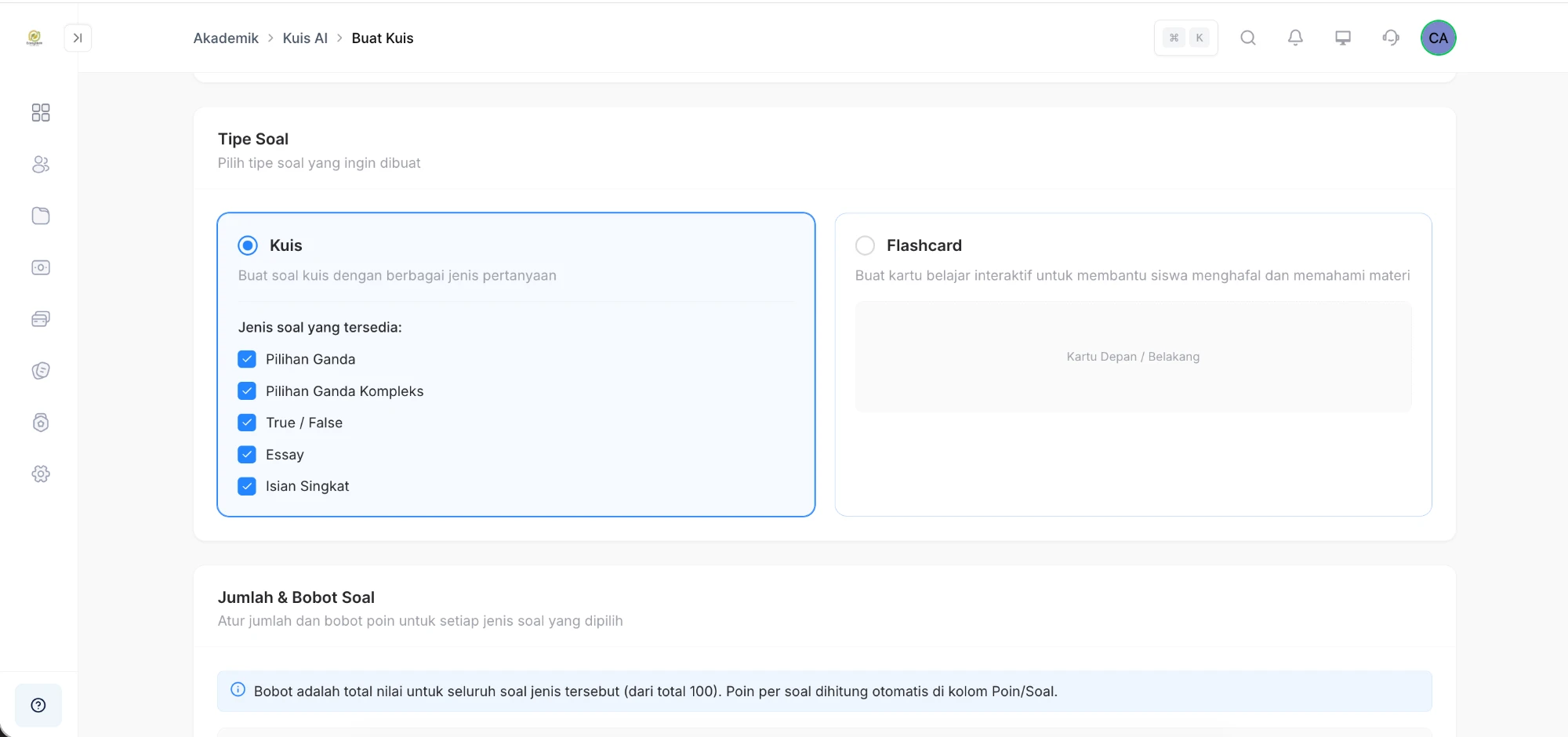
Quiz Configuration
Choose quiz or flashcard, along with the question types, count, and weighting
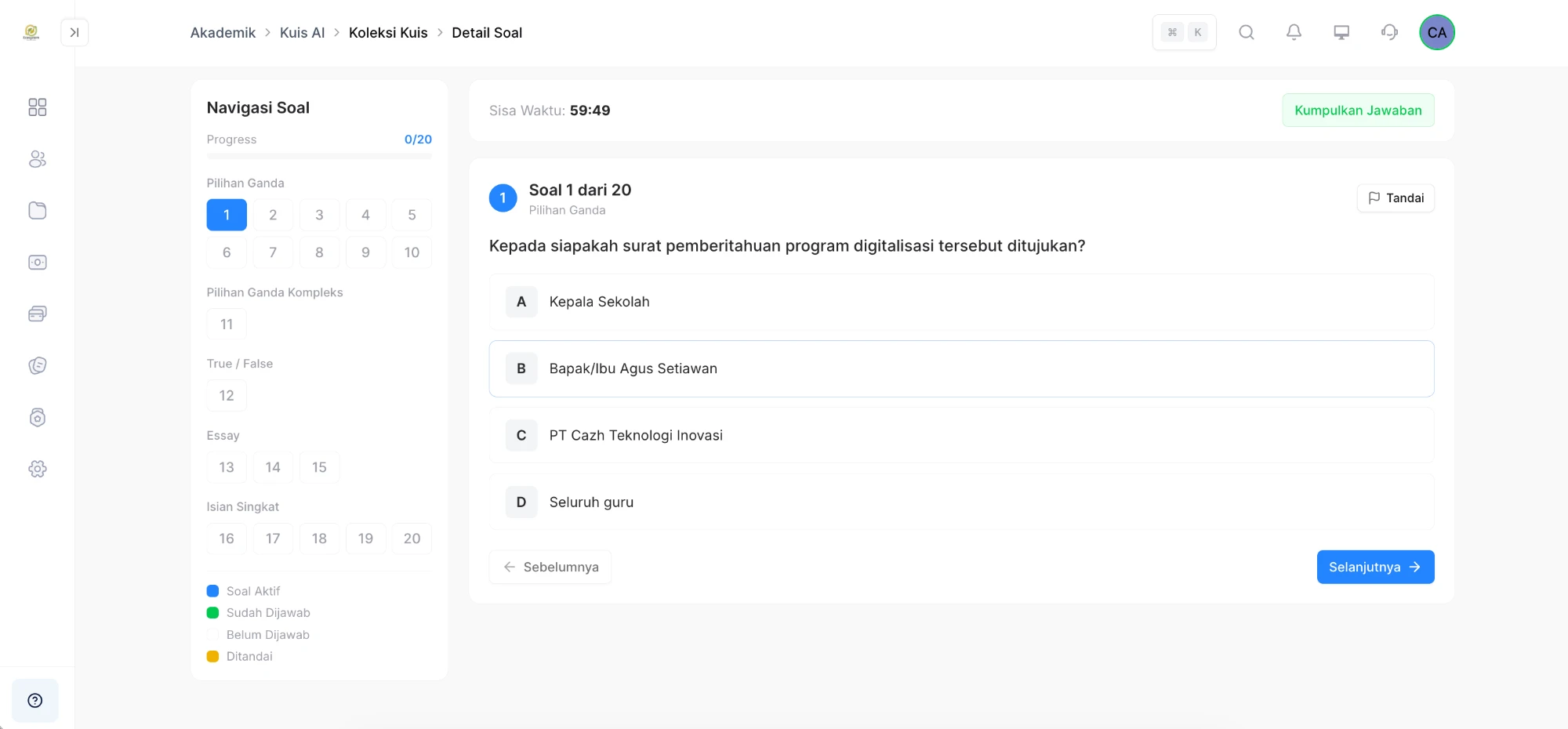
Quiz-taking Page
Students work through numbered questions against the clock
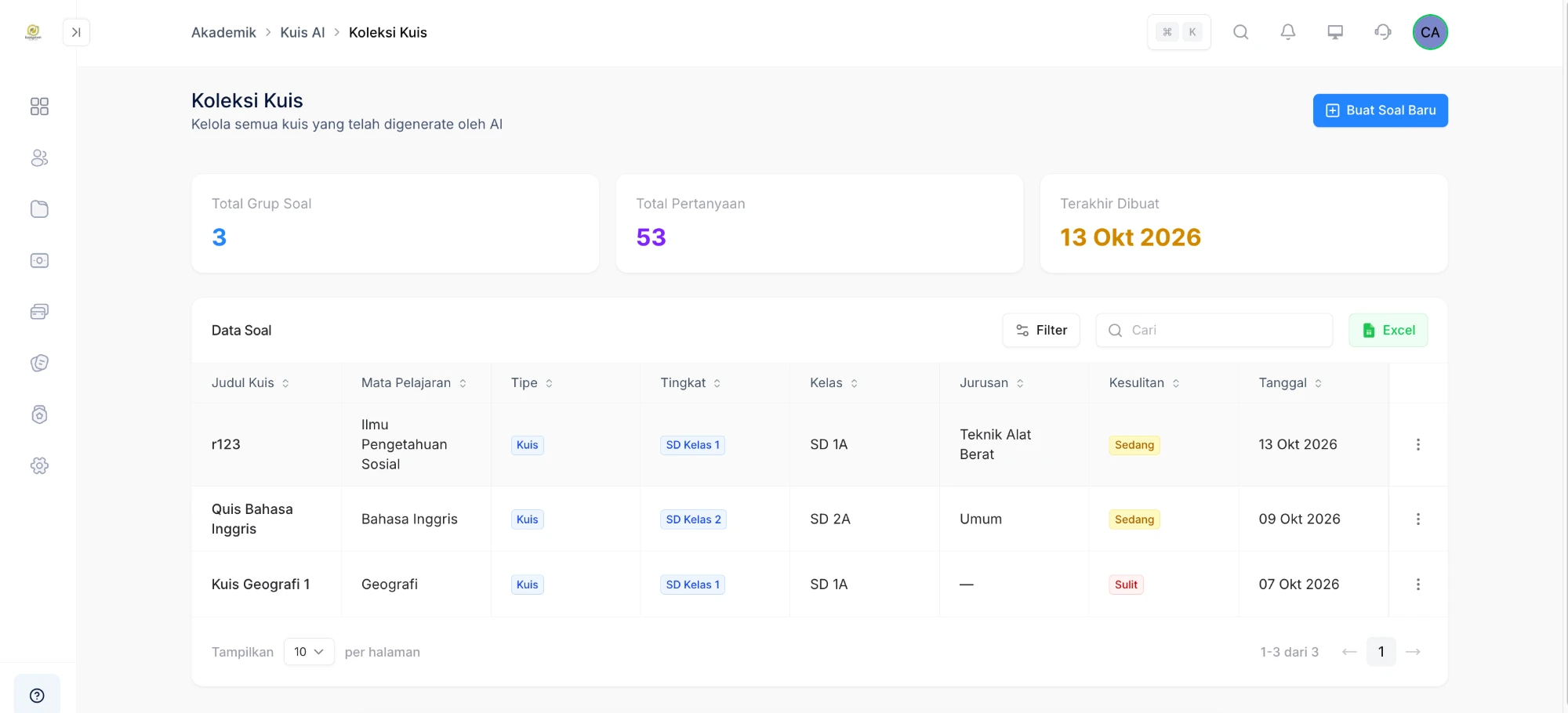
Quiz Collection
Generated question sets stay organised, ready for reuse or export
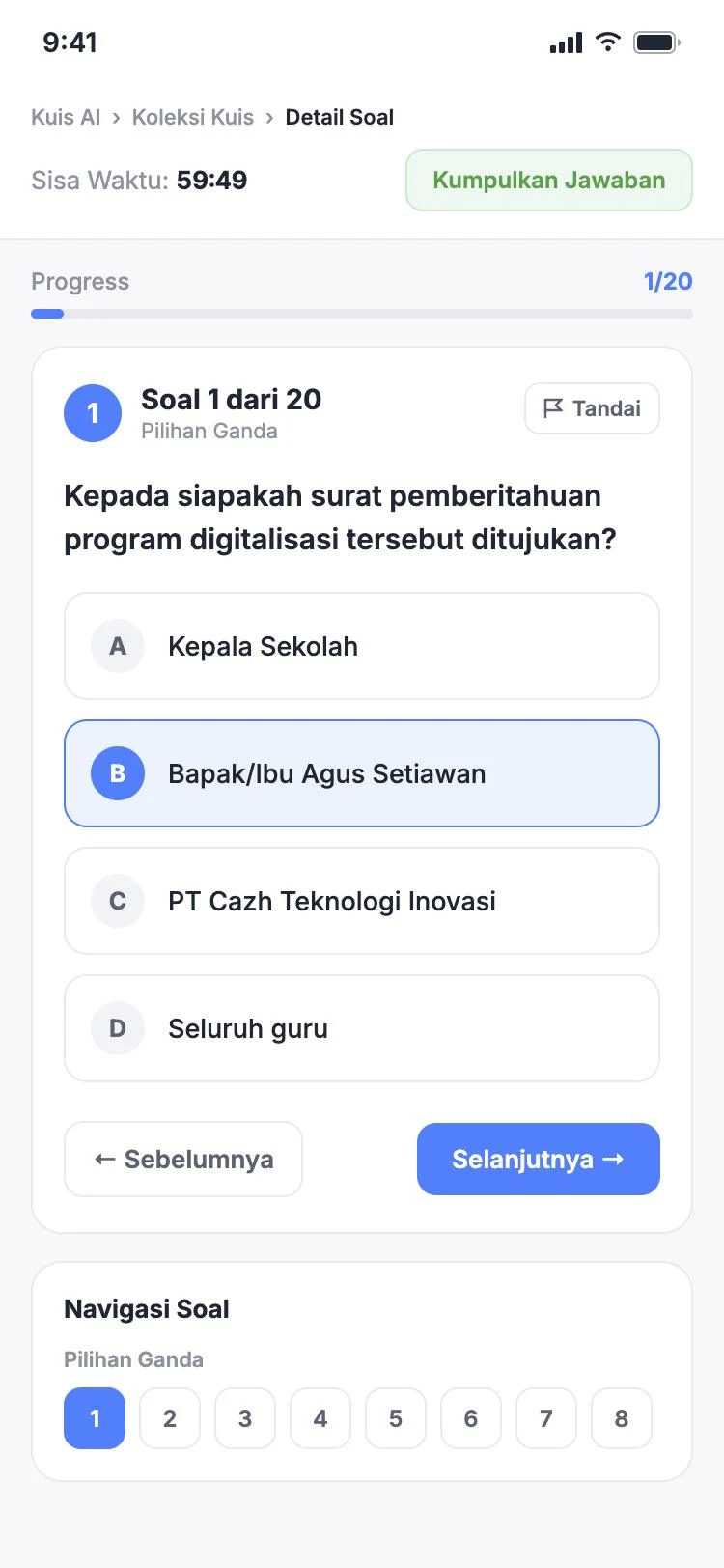
Taking quizzes on a phone
The same quiz works comfortably on the student's own phone
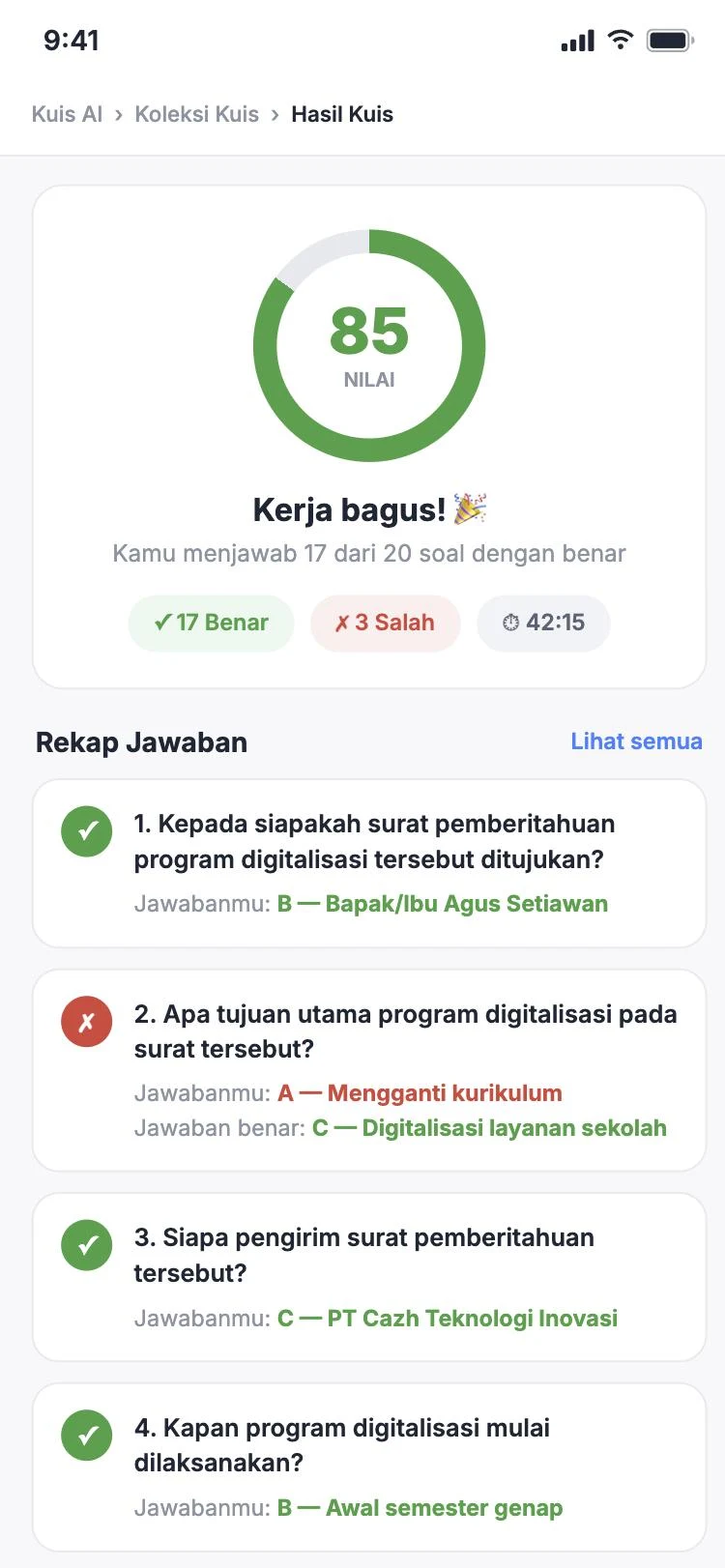
Score & answer recap
The moment they submit, students see their score along with the correct answers
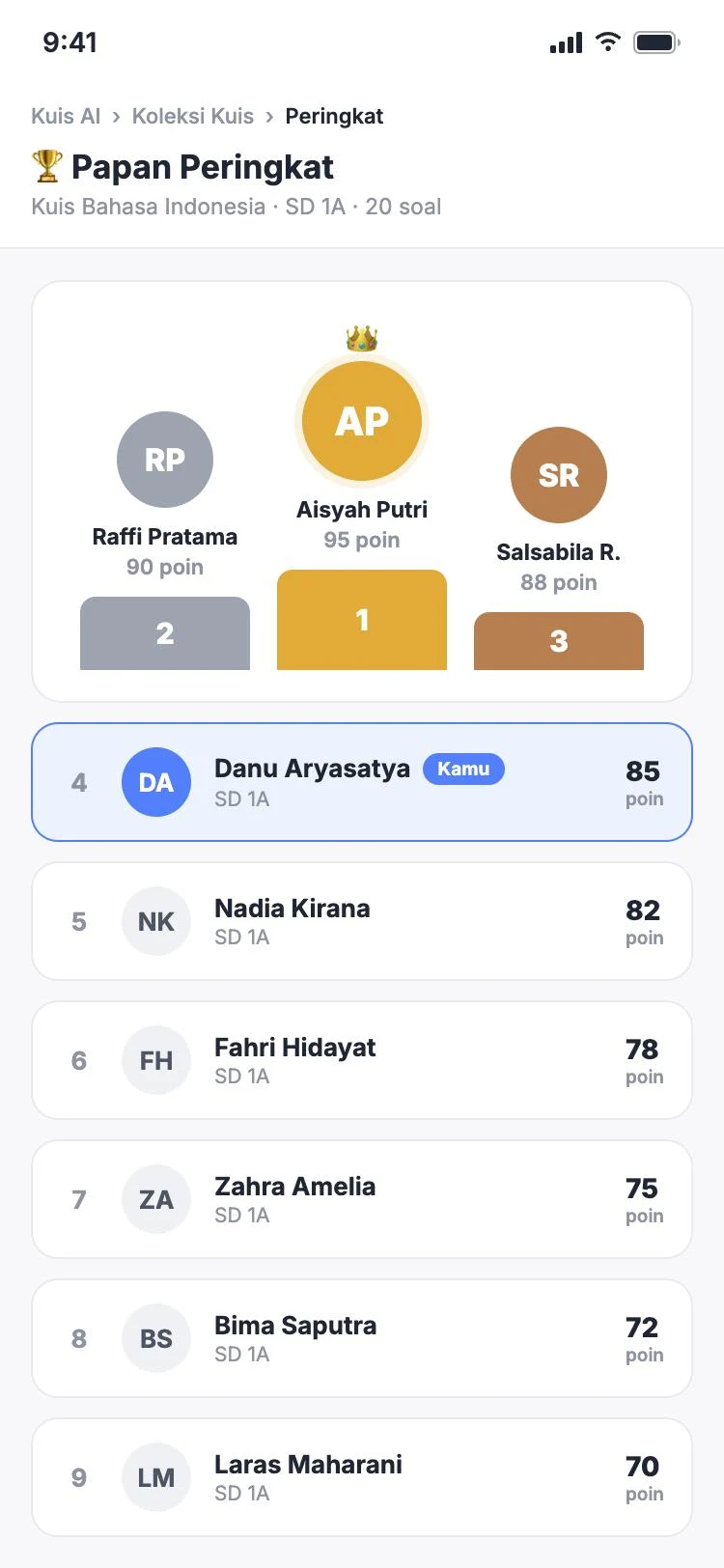
Leaderboard
Rankings between students turn every quiz into healthy competition
FAQ
Questions about AI Quiz
- Where does the AI take its material from?
- From what the teacher provides — an uploaded file, the teacher's journal in the system, or typed text. The AI drafts questions from that reference, not from outside it.
- What if a generated question is off the mark?
- Every generated question can be edited individually, or regenerated, before it is saved to the question bank.
- How do students take the quiz?
- A scheduled quiz is taken through the participant page, and the results flow into the quiz summary for the teacher.
Related features
More modules in Academics
- Daily AttendanceArrival and departure recorded by card tap, with hours that can differ by day and by role.Learn more
- Lesson AttendanceTeachers record attendance per subject, and summaries build up per student.Learn more
- Activity AttendanceAttendance for activities outside lesson time, with summaries by activity or by student.Learn more
See AI Quiz working at your school
Free demo with our team — or start a trial and set up your own data.