
Student Affairs
Admissions that run without a queue at the desk
A registration page, forms, intake schedules, and applicant data in one system
Admissions season usually means stacks of paper forms and an overwhelmed committee. With online admissions, applicants register from home through the school's own admissions page, while the committee watches applications arrive on a dashboard rather than in a folder.
- A school admissions page with configurable templates
- A standard application form you can adapt
- Intake schedules and applicant data tracked throughout
What you get
Your own admissions page
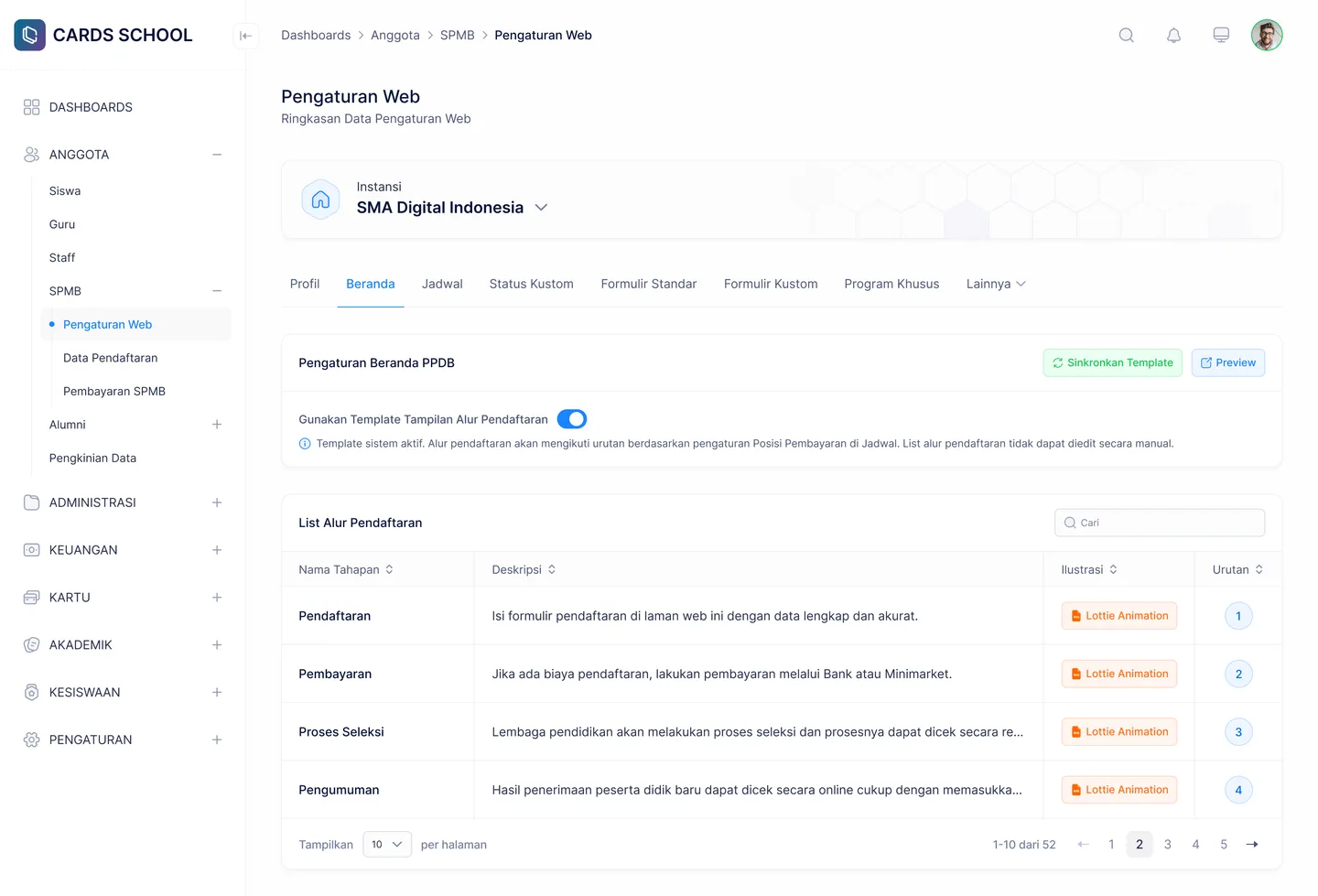
The school configures its admissions landing page, including the application flow and the active template, so applicants know exactly where to begin.
A form you can adapt
Standard form settings let the school tailor the fields to its needs, rather than being forced into a single fixed format.
Intakes on a schedule
Schedule settings determine when each intake opens and closes, so the committee does not have to remember and announce it manually.
Applicants tracked from the start
Applicant data reaches the dashboard the moment a form is submitted, giving the committee a live picture of how admissions are going.
In the app
What the admissions committee works with
Set up the page and the schedule at the start, then simply watch who applies.
Landing Page Settings
Application flow and admissions page template
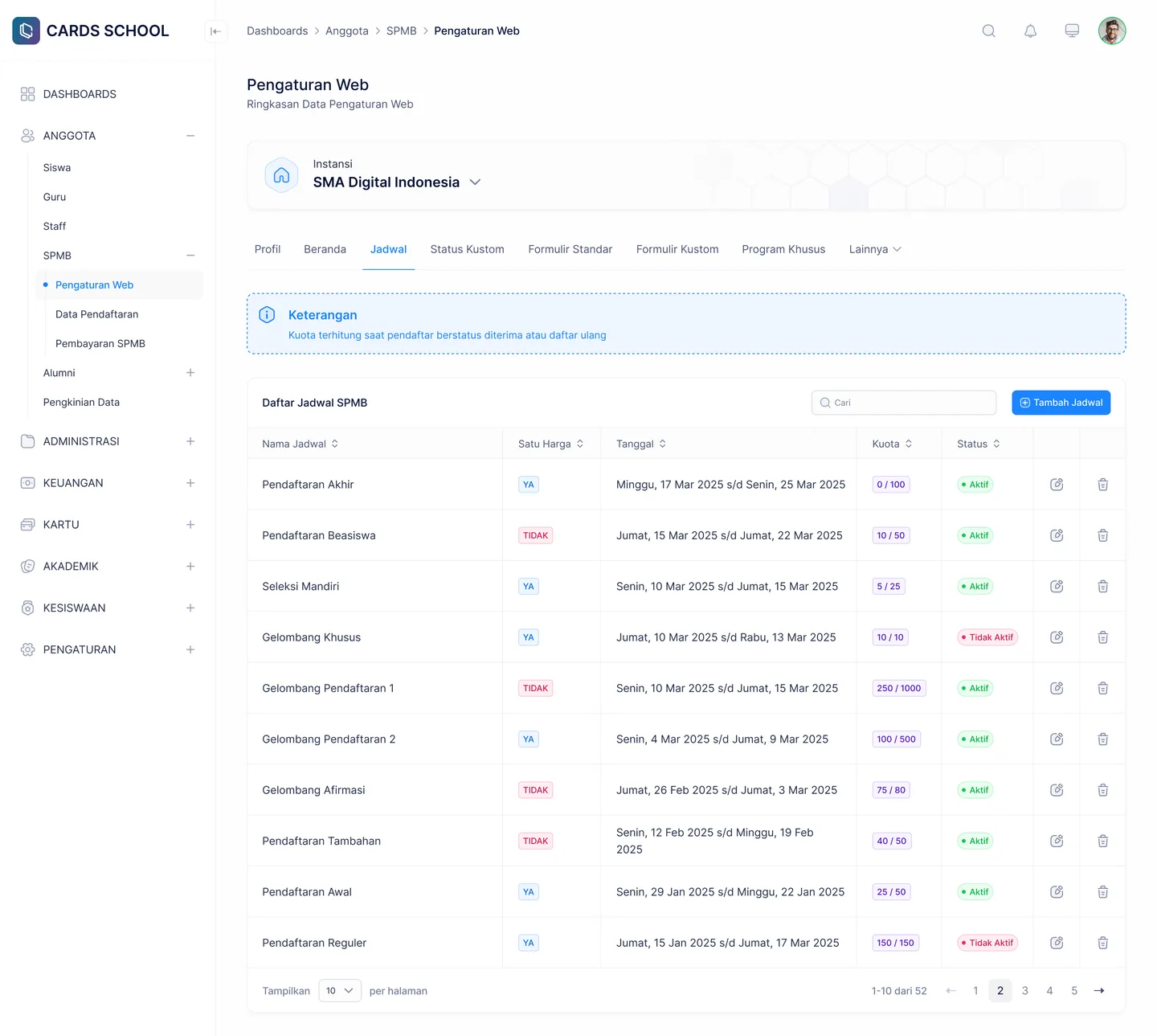
Schedule Settings
Opening and closing for each intake
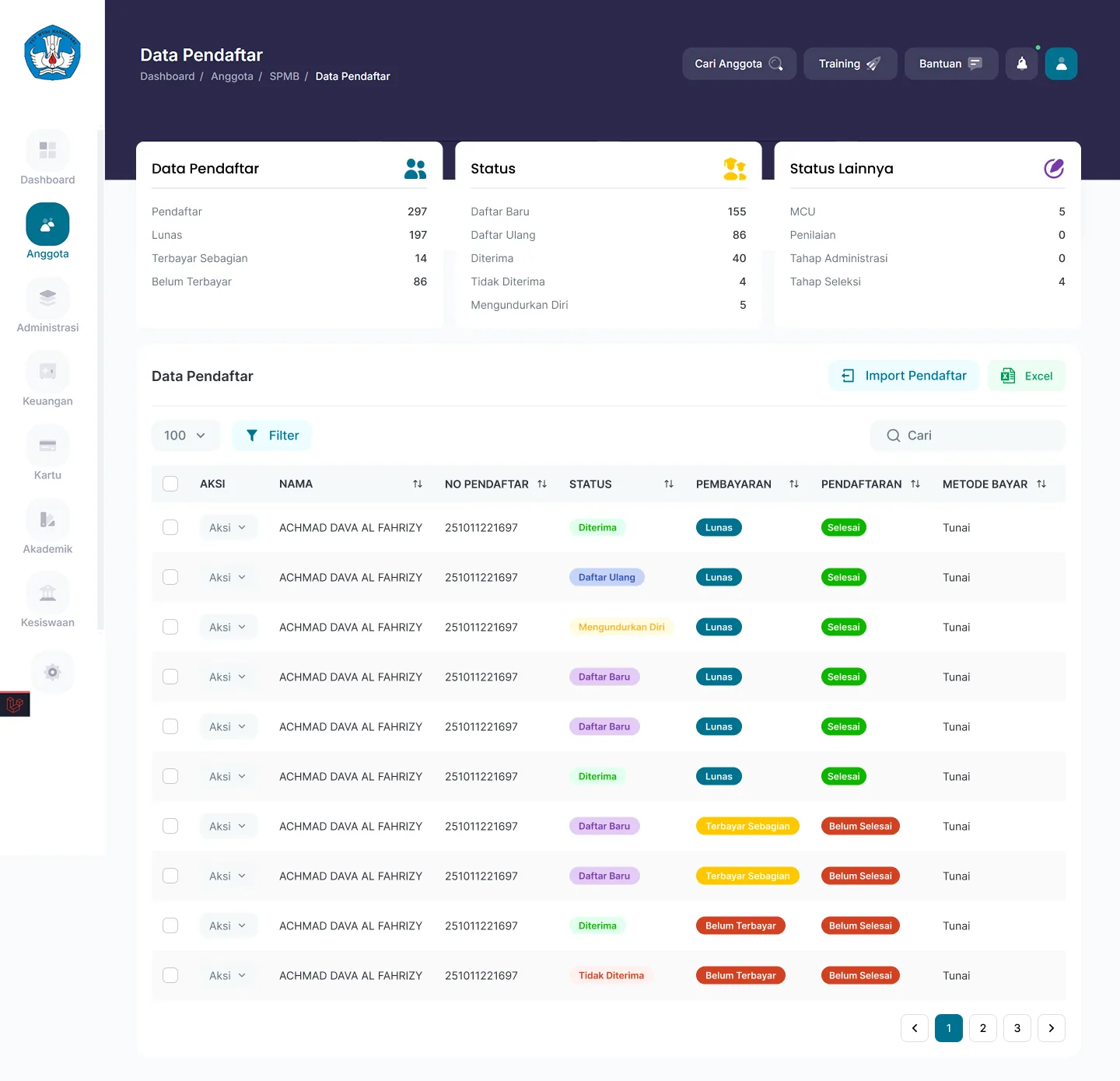
Applicant Data
Applications received and their statuses
FAQ
Questions about Online Admissions
- Can applicants upload supporting documents?
- Yes. The application form covers data entry alongside document uploads, so the committee does not need to receive physical photocopies.
- What about the registration fee?
- Registration fees are paid through the CARDS payment channel and verified automatically, so an applicant's payment status is immediately visible to the committee.
- Can accepted applicants become students directly?
- Yes. Accepted applicant data can be carried forward into student records, so nothing has to be retyped at the start of the academic year.
Related features
More modules in Student Affairs
- Achievements & ConductRecord student achievements, conduct breaches, and pastoral progress, open to parents.Learn more
- Leave & VisitsStudent leave requests and guardian visits, complete with their approvals.Learn more
- Health & BullyingRecord student health conditions and provide a bullying reporting channel that gets acted on.Learn more
See Online Admissions working at your school
Free demo with our team — or start a trial and set up your own data.