
Academics
Assignments that do not stop at the whiteboard
Teachers set work with deadlines and attachments, then follow it through to submission and marking
Work announced out loud is easily forgotten, and parents often have no idea a deadline is approaching. Through the CARDS Edu app, teachers create an assignment with its date and time, attach the material, then track who has submitted and mark the results.
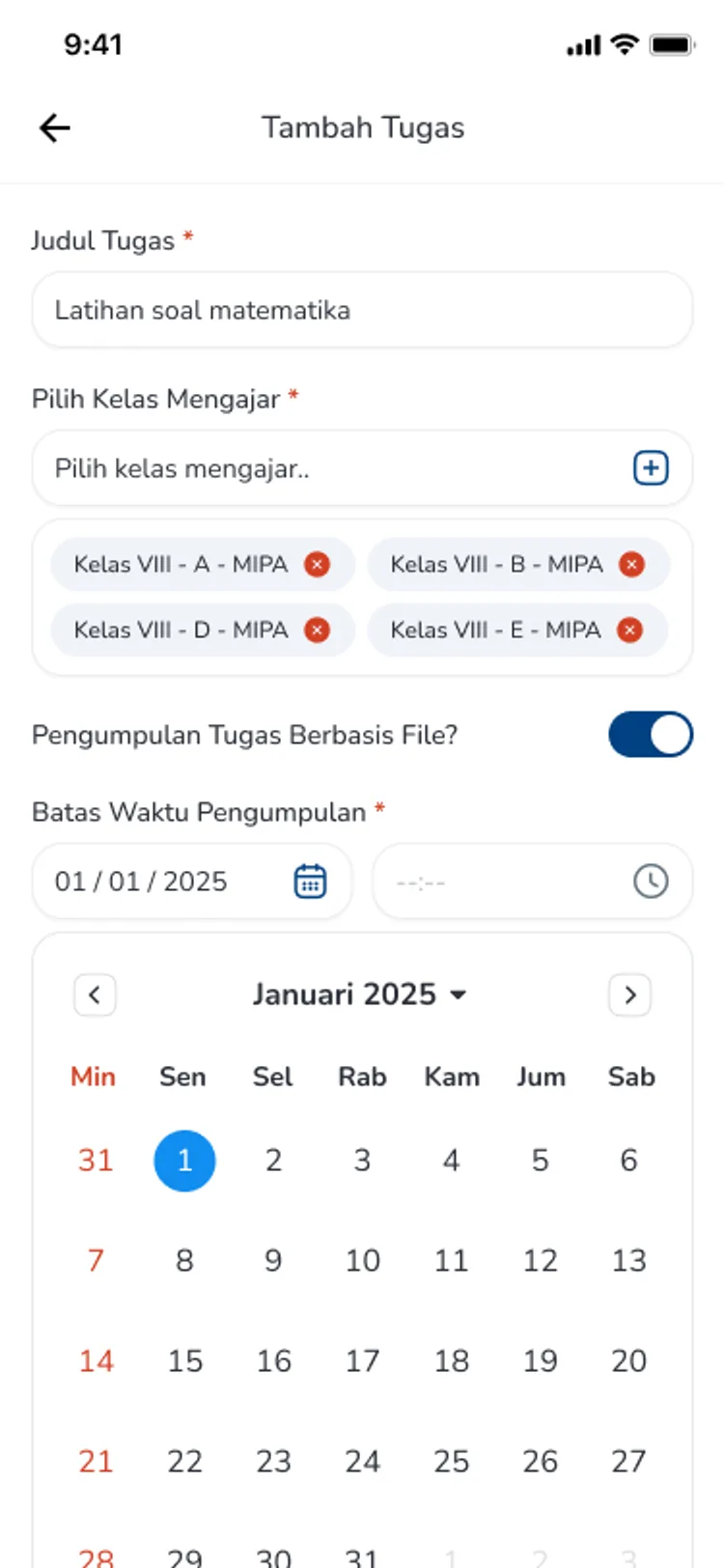
- Assignments with a date and time deadline, plus attachments
- Per-student status: assigned, submitted, marked, closed
- Enter marks and filter results from the teacher app
What you get
A deadline that is clear from the outset
Teachers set the closing date and time when creating the assignment, so there is no argument about when submissions were due.
The material comes attached
Supporting files are attached to the assignment and can be removed or replaced, so students do not have to hunt for the source themselves.
See who is falling behind
Per-student status separates those newly assigned, those who have submitted, those already marked, and those whose deadline has passed.
Marking in the same app
Marks are entered directly from the teacher app, and results can be filtered — including seeing the highest marks in a class.
In the app
From setting work to marking it
Three screens teachers move through in order, all from the CARDS Edu app.
New Assignment
Set the class, deadline, and attachments
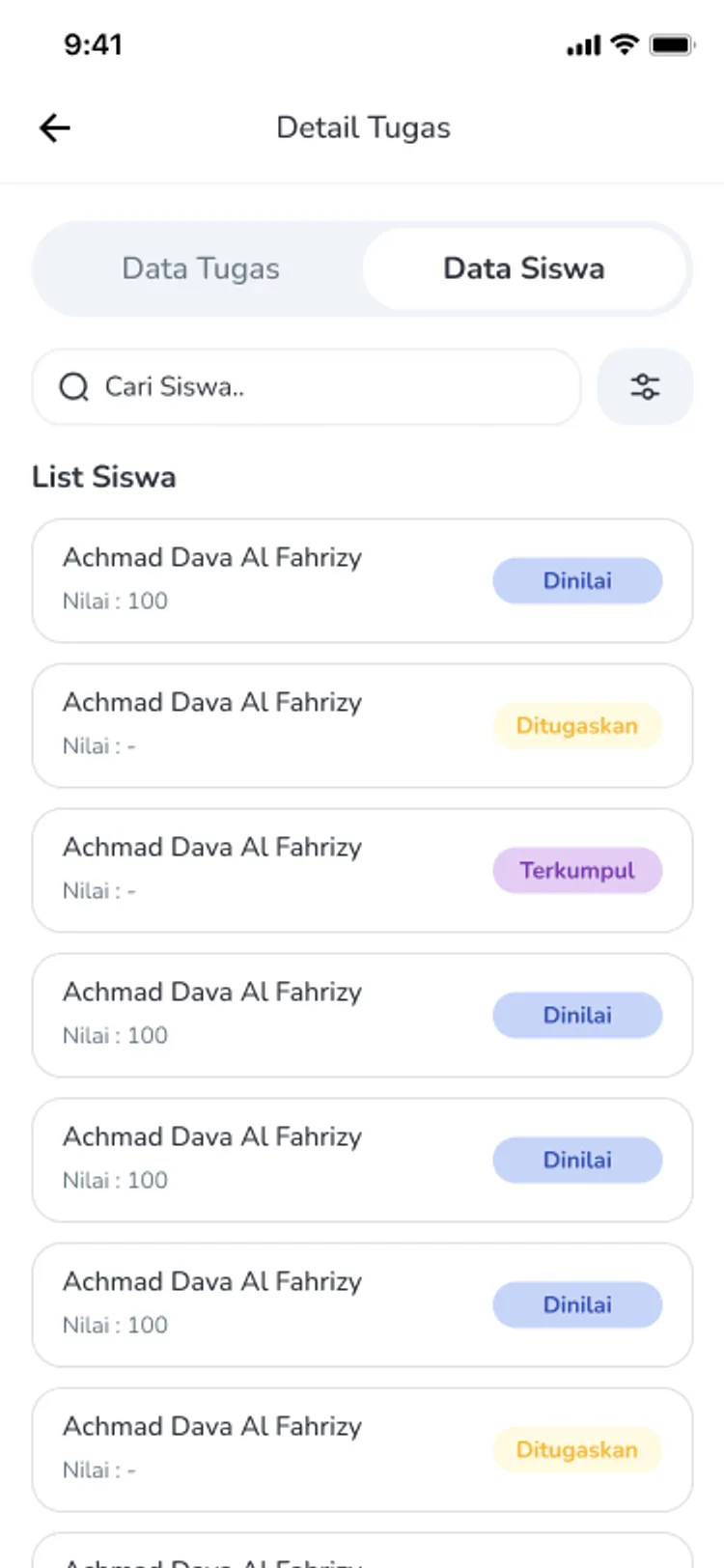
Assignment Detail
Each student's status for that assignment
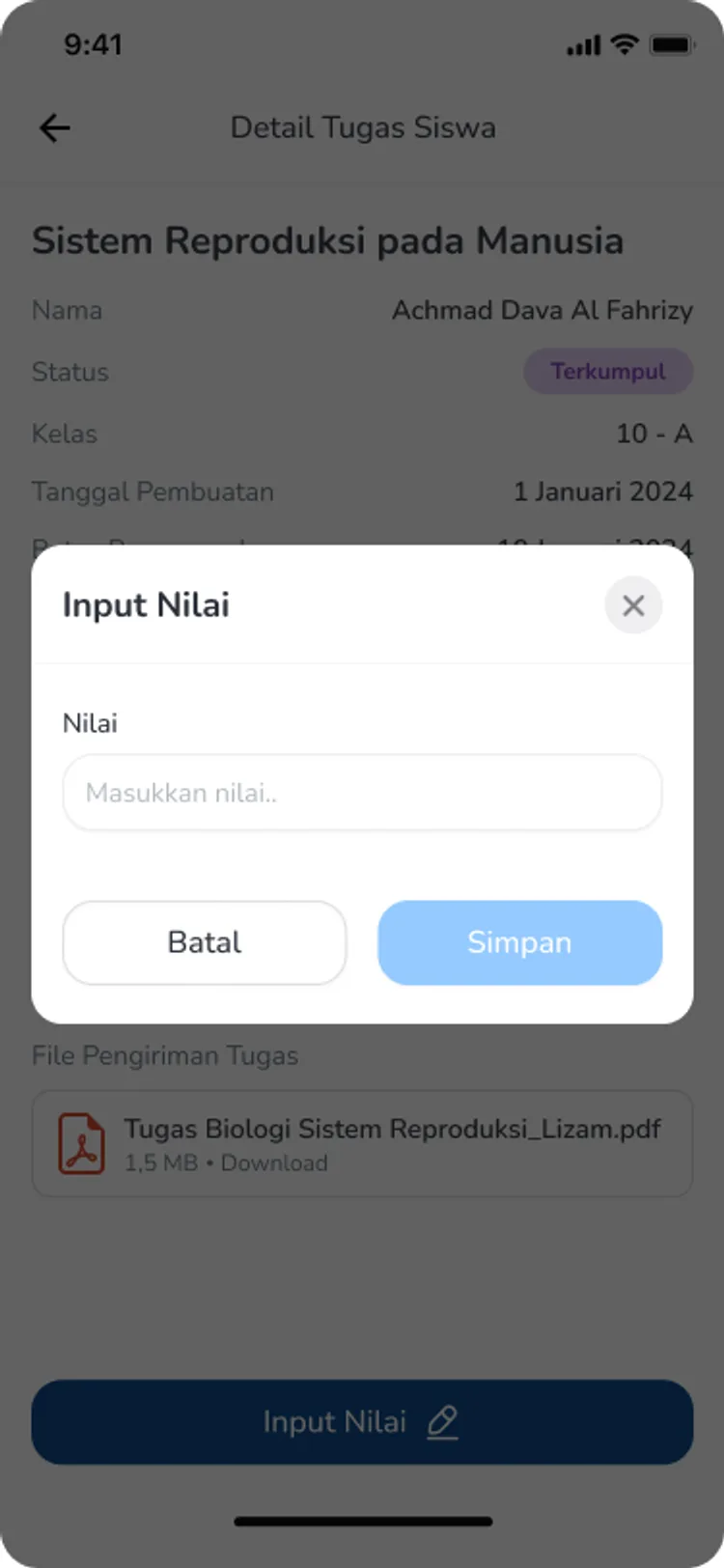
Enter Marks
Mark the work and filter the class results
FAQ
Questions about Assignments & Timetable
- Can parents see their child's assignments?
- The timetable and academic information for a child are available in the parent app, so parents can follow their learning without having to ask a teacher.
- Can an assignment be given to more than one class?
- When creating an assignment, teachers choose the target class through a class search, so work can be directed to whichever groups they teach.
- What happens after the deadline passes?
- The assignment moves to a closed status, and the student list separates those who submitted from those who did not, so teachers know who needs following up.
Related features
More modules in Academics
- Daily AttendanceArrival and departure recorded by card tap, with hours that can differ by day and by role.Learn more
- Lesson AttendanceTeachers record attendance per subject, and summaries build up per student.Learn more
- Activity AttendanceAttendance for activities outside lesson time, with summaries by activity or by student.Learn more
See Assignments & Timetable working at your school
Free demo with our team — or start a trial and set up your own data.