
Billing & Finance
Books that grow from transactions, not from retyping
Journals, statements of financial position, profit and loss, and revenue sharing from data already in the system
Bills, savings, and card transactions are already recorded in CARDS. Bookkeeping draws from there rather than asking the bursar to enter everything a second time into separate software. Income and expenses outside those automatic transactions are entered through manual journals, changes are kept, and reports can be pulled whenever the foundation asks.
- Automatic and manual journals, all recorded with an auditable history
- Four standard reports: chart of accounts, balance sheet, profit & loss, and cash flow — per ISAK 35
- Revenue sharing calculations and account migration when switching systems
What you get
One source of data, not two
Transactions already captured through billing, savings, and cards become the raw material for your books. Anything outside them — any income or expense — is entered through a manual journal, in the same books, with no double entry to cause discrepancies.
The reports your foundation asks for
The chart of accounts, balance sheet, profit & loss, and cash flow statement — all per ISAK 35 — are available immediately, so a request before a board meeting no longer means a late night assembling figures.
Changes leave a trail
Every transaction is recorded, and journal history keeps what changed — corrections remain traceable and the books stay auditable.
Switch systems without starting over
Account migration lets you bring across the chart of accounts you already use, rather than rebuilding it from nothing.
In the app
From chart of accounts to cash flow
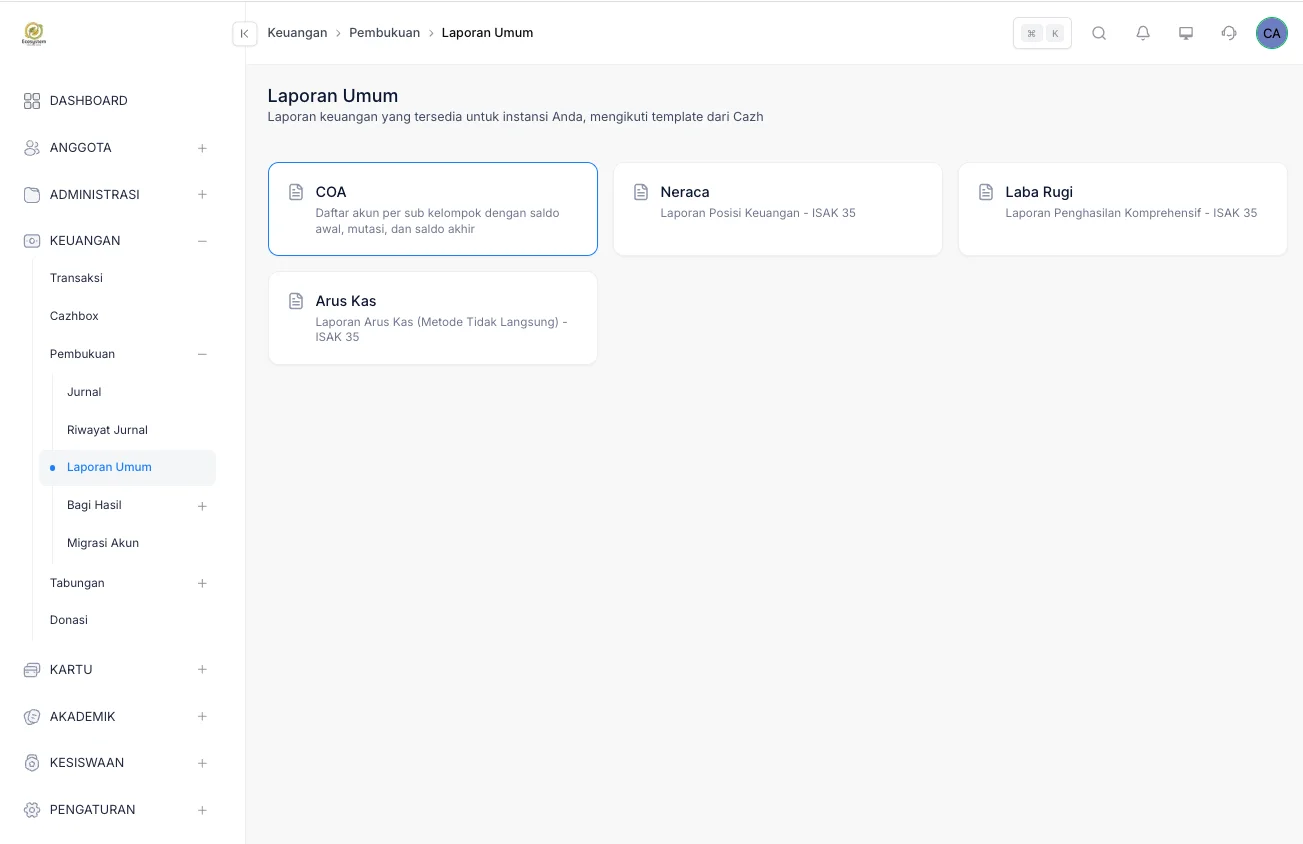
Four standard reports — chart of accounts, balance sheet, profit & loss, and cash flow — pulled straight from the books, following Cazh templates per ISAK 35.
General Reports
Four ready-made reports: chart of accounts, balance sheet, profit & loss, and cash flow
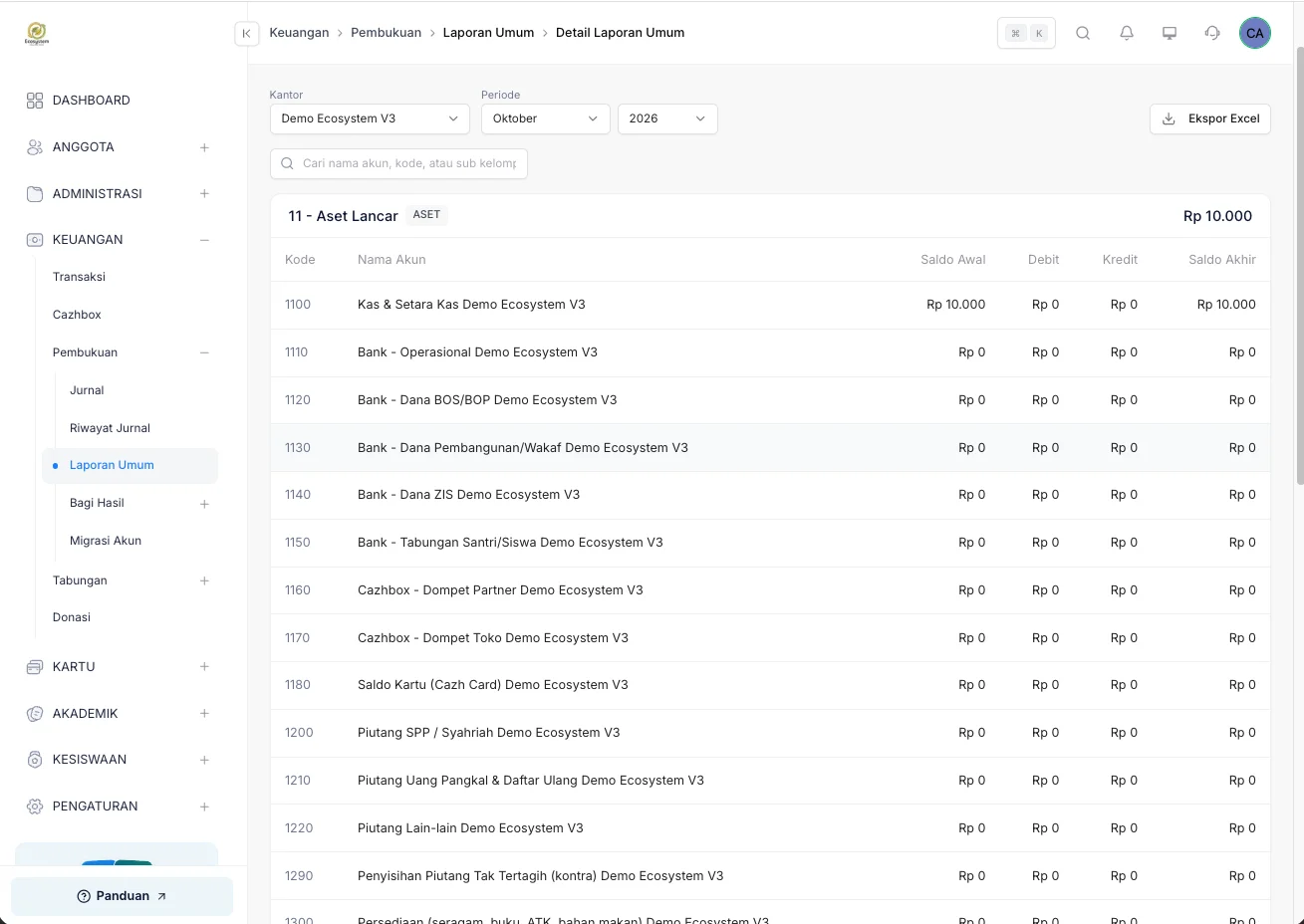
Chart of Accounts
Accounts per sub-group with opening balance, debits, credits, and closing balance
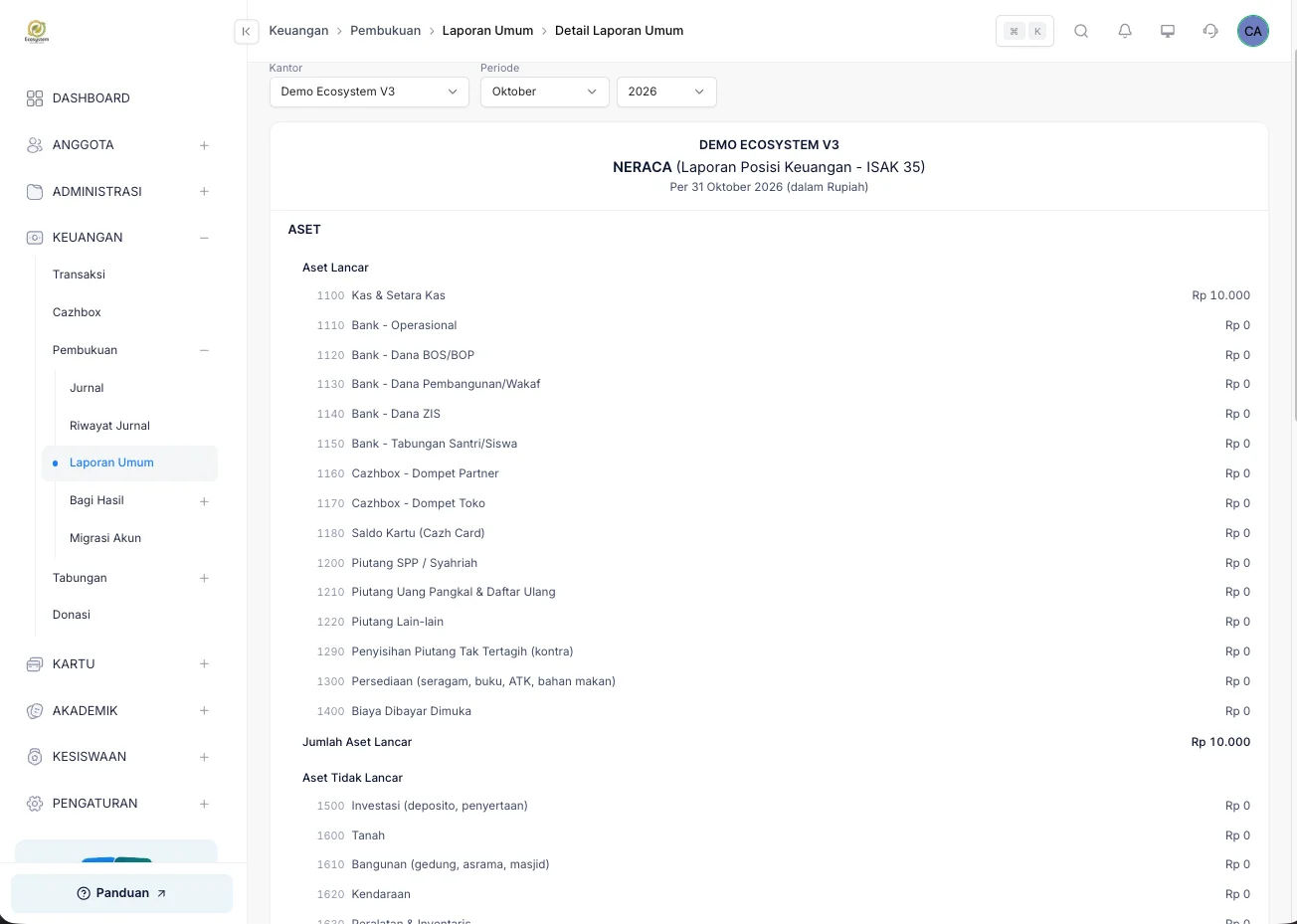
Balance Sheet
ISAK 35 statement of financial position — pick the office and period, the report assembles
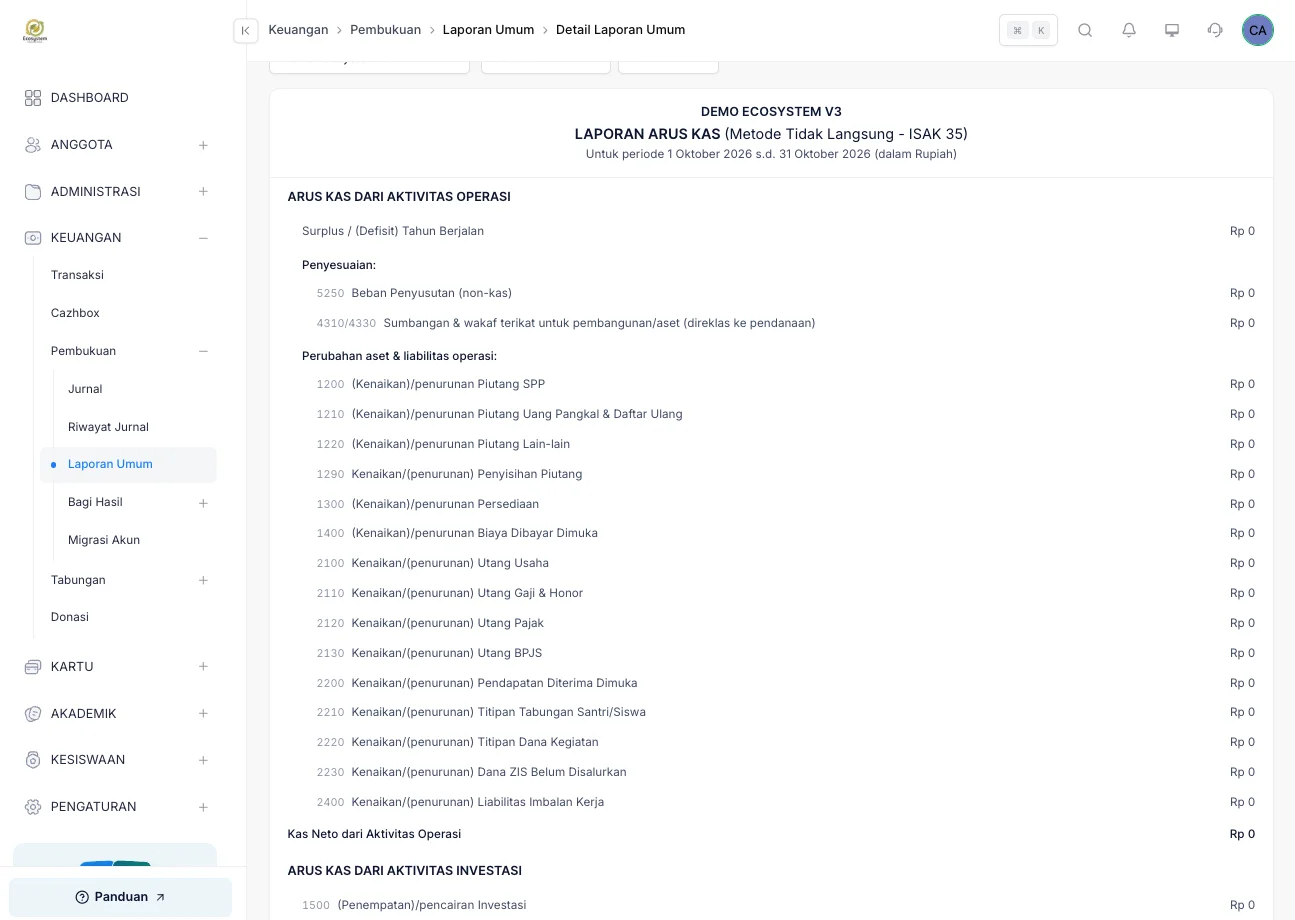
Cash Flow
ISAK 35 cash flow statement (indirect method), from operating through investing activities
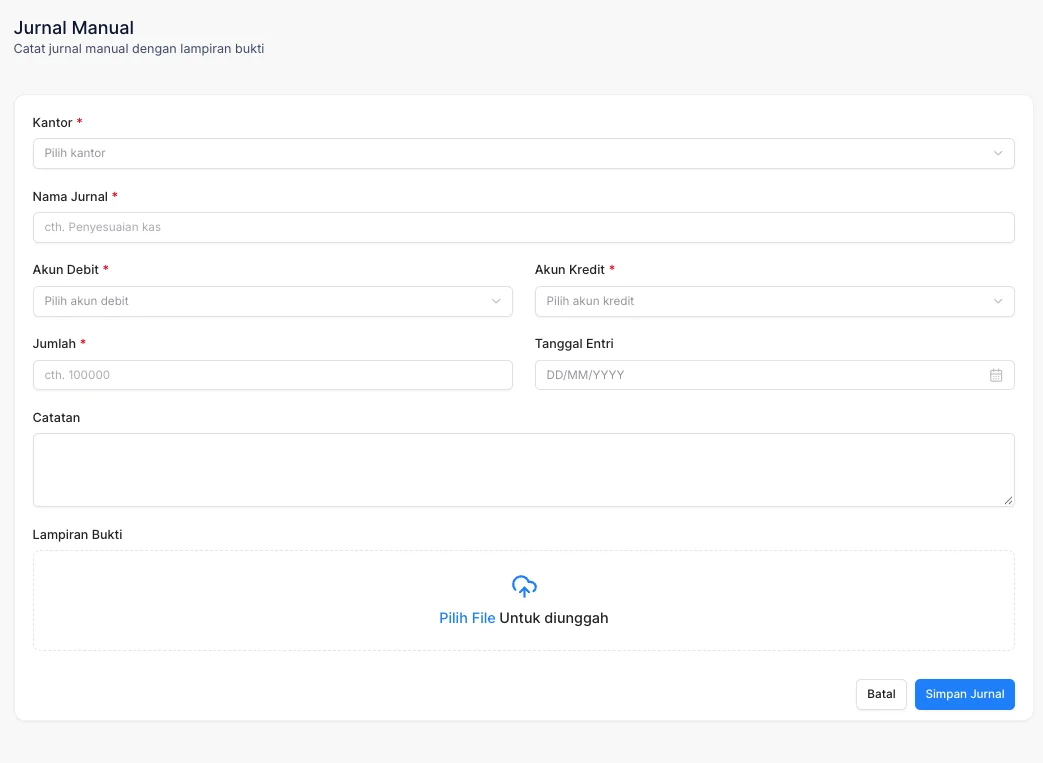
Manual Journal
Income or expenses outside automatic transactions are entered manually, proof attached
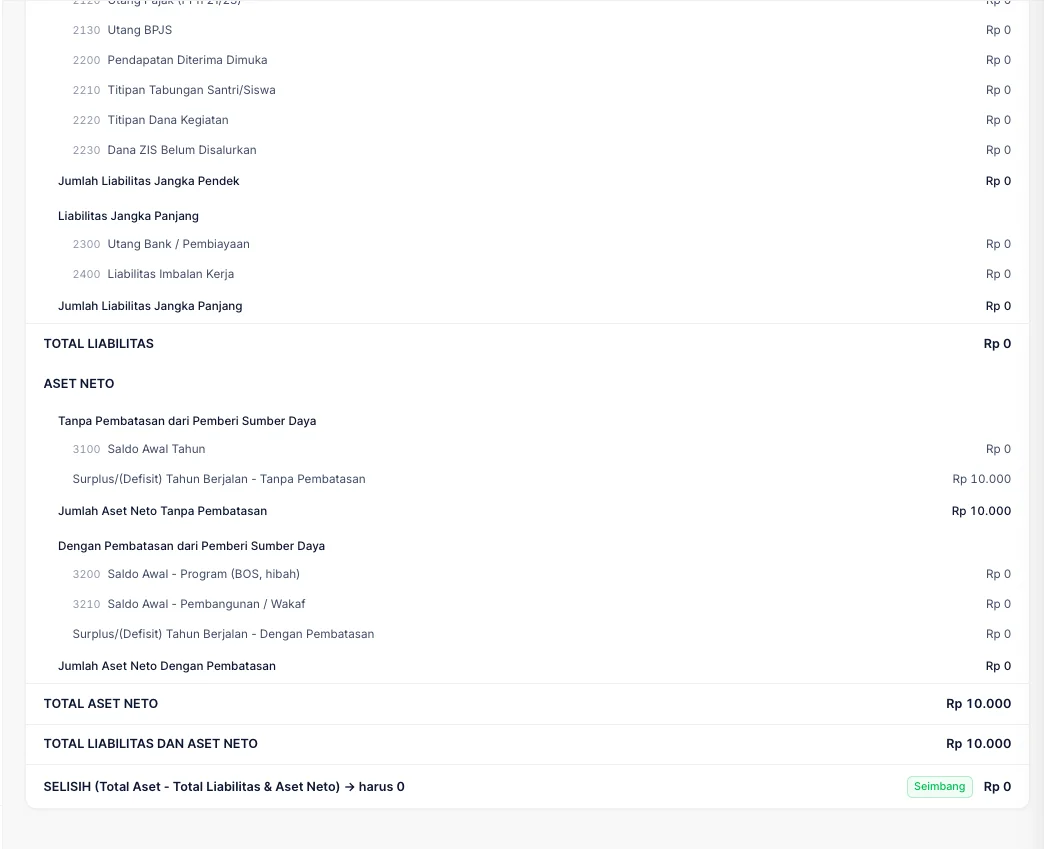
A balance sheet that checks itself
Total assets minus liabilities & net assets must equal 0 — labelled Balanced
FAQ
Questions about Bookkeeping & Reports
- How do we record income or expenses that don't run through CARDS?
- Through the Manual Journal: pick the debit and credit accounts, enter the amount and a note, and attach the proof of transaction. Manual entries land in the same journal with their own history, so they stay auditable.
- Does this replace our accounting software?
- CARDS bookkeeping covers journals, statements of financial position, profit and loss, and revenue sharing for transactions running through CARDS. For broader foundation accounting, our team can walk through the scope with you.
- Can we keep our existing chart of accounts?
- Yes. Account migration is available, so the accounts you already use can be brought into the system rather than rebuilt.
- Who can open the financial reports?
- Access follows the user settings in your dashboard, so financial reports are only visible to the roles you grant permission to.
Related features
More modules in Billing & Finance
- Billing & PaymentsIssue and collect every kind of school fee from one place, then take payment online.Learn more
- Instalments & ArrearsSee who is behind and by how much, and open up instalment options through FlexyCazh.Learn more
- School SavingsRun savings products and student accounts with deposits and withdrawals that are recorded and visible to parents.Learn more
See Bookkeeping & Reports working at your school
Free demo with our team — or start a trial and set up your own data.