
Cards & Transactions
Spending control stays in the parent's hands
Daily limits, alerts, PINs, and card blocking — all managed from the app
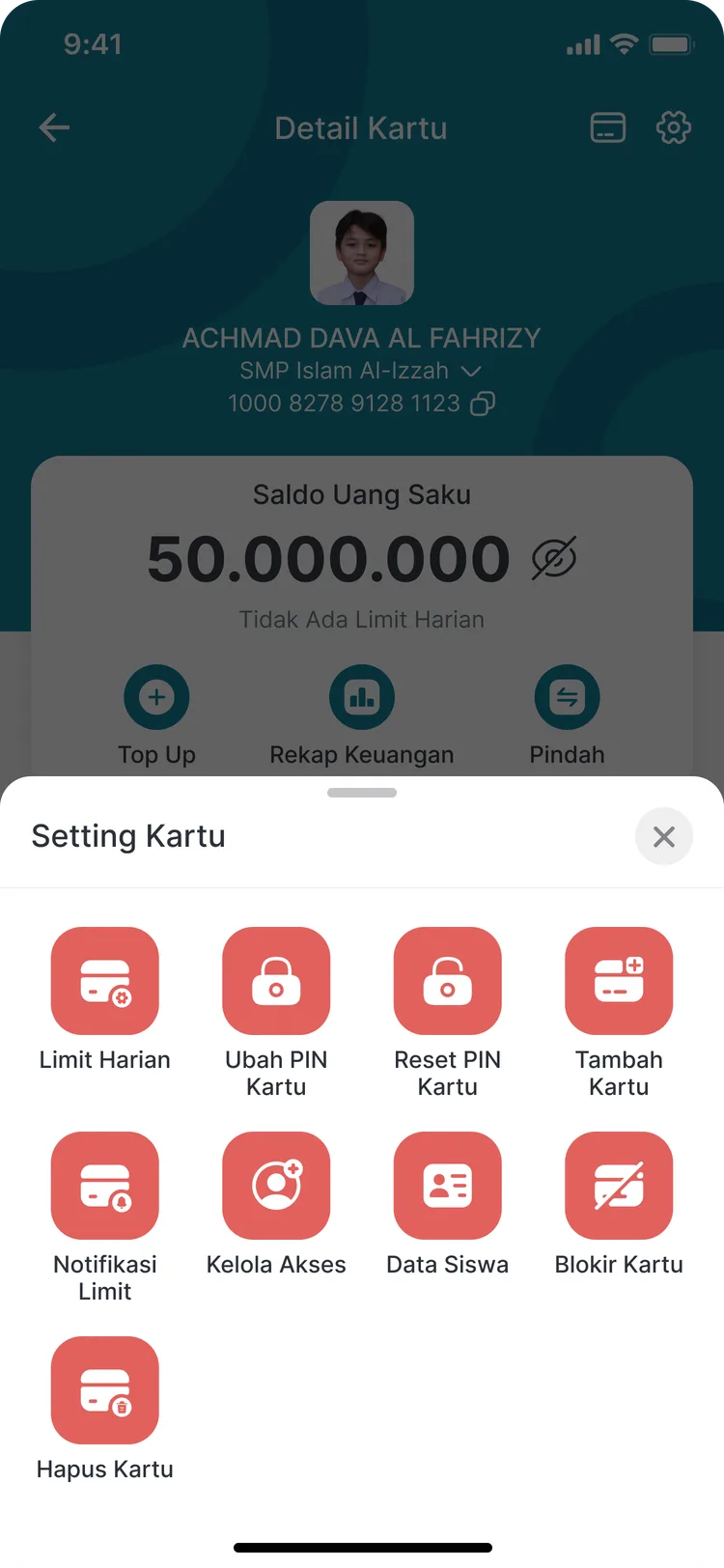
Giving a child a card with a balance does not mean giving up control. Parents set a daily spending cap, get notified when it is reached, and can block the card the moment it goes missing. Every setting sits on one page, with no need to call the school.
- A daily limit you can change at any time
- A notification when the spending limit is reached
- Change PIN, reset PIN, block, and remove a card
What you get
A spending cap you decide
Set how much a child may spend in a day. The figure can be adjusted whenever you like, without replacing the card.
Told at the time, not afterwards
Limit alerts let parents notice when spending habits shift, rather than discovering it once the balance has already run out.
PINs you can handle yourself
Changing or resetting a PIN happens right in the app. There is no need to contact school staff simply because a child forgot it.
Manage several cards
One parent can add cards, manage access, and remove cards — practical for families with more than one child at the same school.
In the app
One page for every control
Security settings are gathered in a single place so they are quick to reach in a hurry.
Card Settings
Daily limit, PIN, access management, and blocking
FAQ
Questions about Limits & Parental Controls
- Does the daily limit apply in the school canteen too?
- Yes. The daily limit applies to card spending, including transactions in the canteen, the co-op, and the school shop.
- What if a child loses their card during the school day?
- Parents can block the card instantly from the app, so it cannot be used by anyone from that moment on.
- Can one parent account manage several children's cards?
- Yes. Card addition and access management are available, so several cards can be run from a single account.
Related features
More modules in Cards & Transactions
- Digital Student CardOne card for identity, attendance, and cashless spending — with parents fully in control.Learn more
- Card Top-UpAdd funds through retail chains, bank transfer, or the school counter — all in one history.Learn more
- CazhPOINA points balance that can be purchased and managed, kept separate from card spending money.Learn more
See Limits & Parental Controls working at your school
Free demo with our team — or start a trial and set up your own data.