
Billing & Finance
School bills that collect themselves, instead of being chased
Every fee type in one list — tuition, books, workbooks, uniforms, school trips, and institutional donations
The bursar issues a bill once, and the system does the chasing. Parents see the breakdown by fee type in the app, pay in part or in full, and the status on the school dashboard updates at that very moment. No more reconciling by hand in a spreadsheet.
- Issue in bulk or import from a file, by class or by student
- Accurate status: unpaid, partially paid, and settled
- Parents pay one bill or all of them from the CARDS app
What you get
Issue once, reaches every student
Publish bills to a class, a year group, or the whole school. You can also import from a file when you have already prepared the figures yourself.
Instalments stay tidy
A partial payment does not break your books. The bill is marked “Partially Paid” and the remaining balance is always recalculated for you.
Answer parents without digging
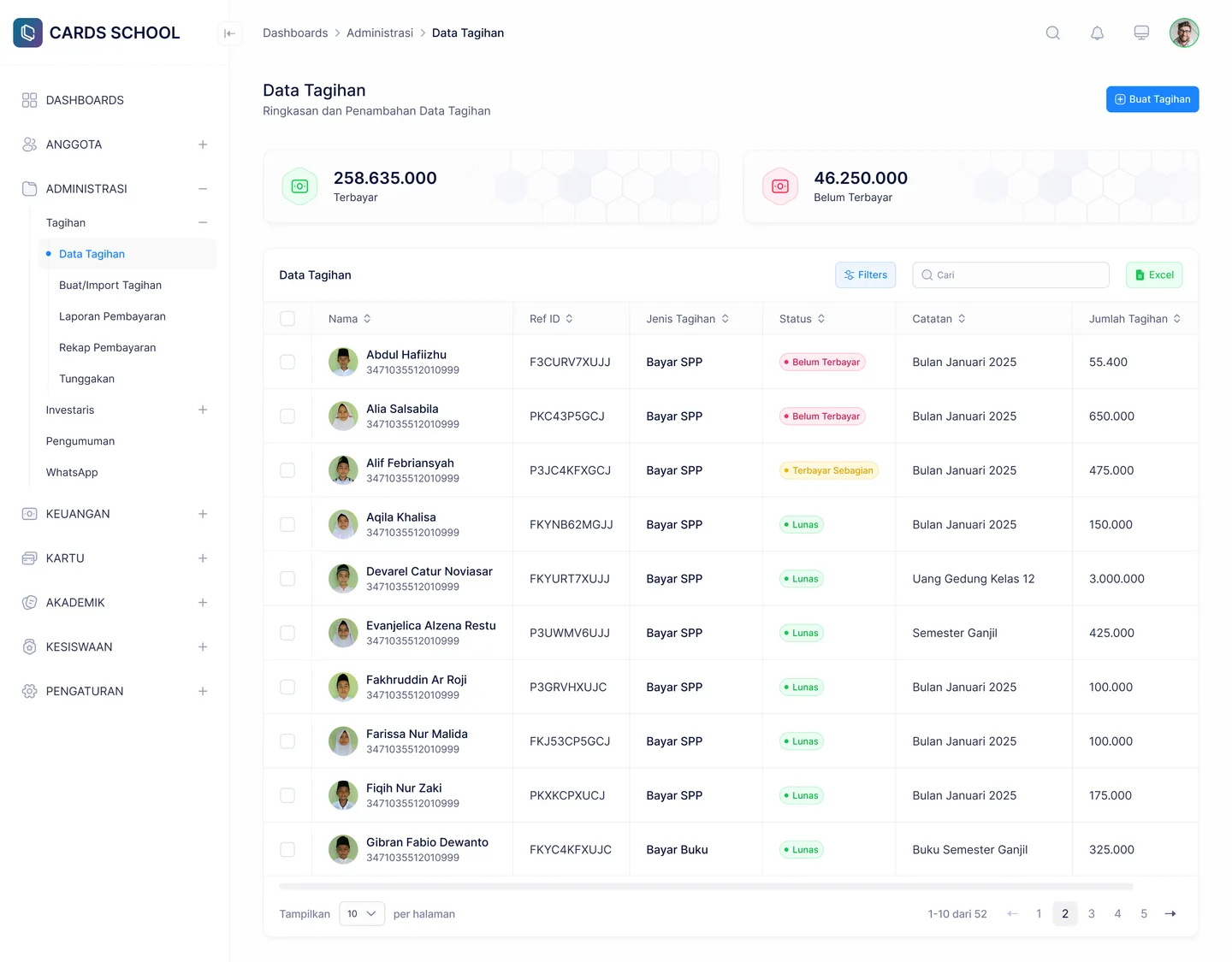
Search by name, fee type, reference ID, or note. Filter by date and type to narrow a long list down to the one row you need.
Reports without reconciling
Payment reports build themselves from transactions already recorded, including cash payments logged at the school counter.
In the app
Two sides that stay in step
The bursar works in the school dashboard, parents see the result in the app — neither has to notify the other.
Billing Data
Every school bill with its status and filters
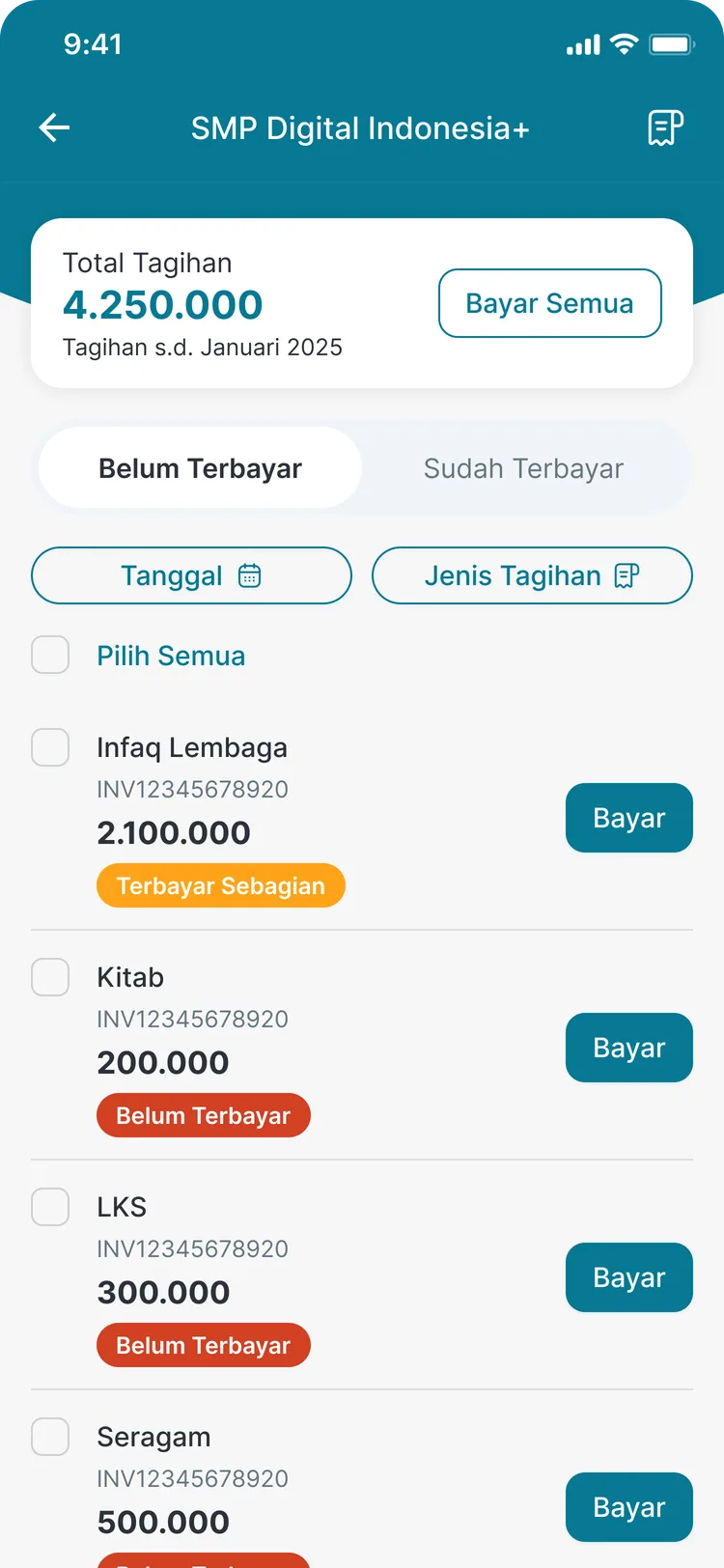
Bills in the parent app
Breakdown by type, pay one or pay all
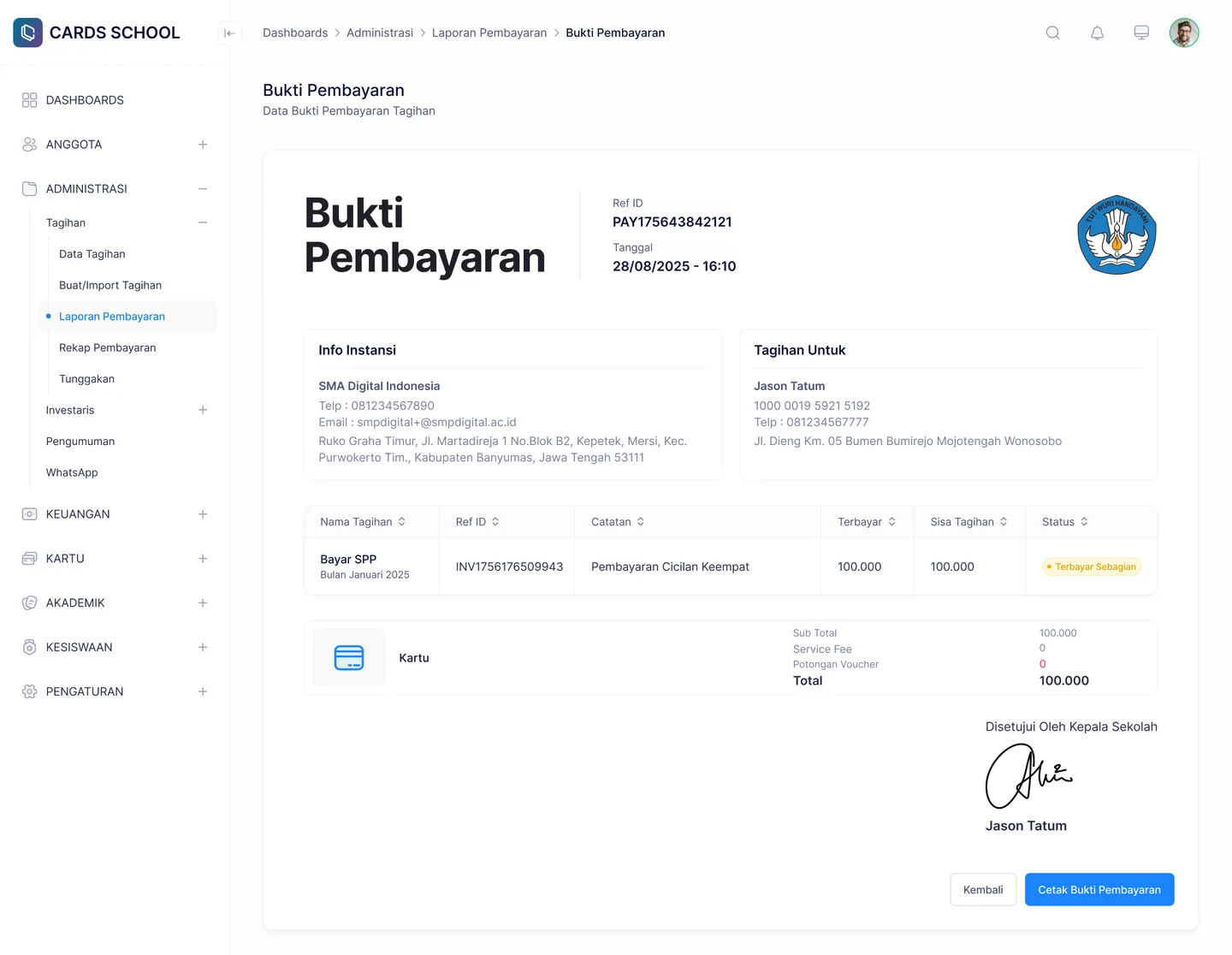
Payment Report
Includes cash payments logged at the counter
FAQ
Questions about Billing & Payments
- Can fee types match the terms our school already uses?
- Yes. You define the fee types yourself — tuition, meals, books, workbooks, uniforms, school trips, institutional donations, or whatever wording your school is used to.
- What happens when a parent pays only part of a bill?
- The bill is marked “Partially Paid” and the outstanding amount is calculated automatically. Parents can continue paying at any time until it is settled.
- What about parents who pay cash at the school counter?
- Staff record the cash payment in the dashboard and the receipt is stored against that bill, so your reports stay unified with online payments.
Related features
More modules in Billing & Finance
- Instalments & ArrearsSee who is behind and by how much, and open up instalment options through FlexyCazh.Learn more
- School SavingsRun savings products and student accounts with deposits and withdrawals that are recorded and visible to parents.Learn more
- Goal SavingsSavings with a goal and a timeframe — pilgrimage, graduation, or a school trip — with progress you can see.Learn more
See Billing & Payments working at your school
Free demo with our team — or start a trial and set up your own data.