
Academics
Attendance that is done the moment a card is tapped
Tap at the gate, summaries build themselves, and parents know without having to ask
No more manual registers reconciled again at the end of every month. Students and teachers tap their card on arrival and departure, the system matches it against the school's attendance schedule, then marks who was on time and who was late.
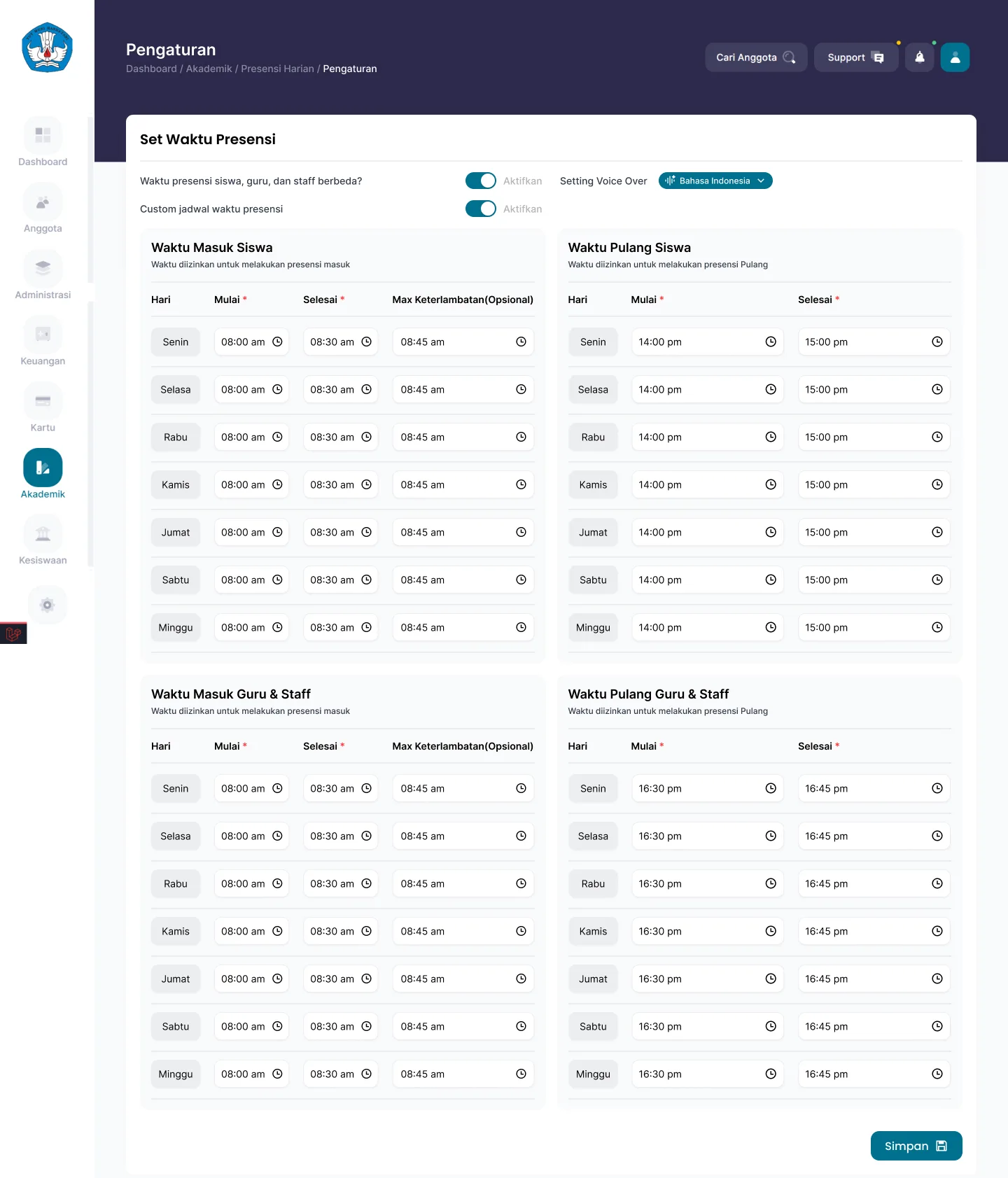
- Arrival and departure times can differ for each day of the week
- Separate rules for students and for teachers and staff
- A maximum lateness threshold sets the status automatically
What you get
Rules that follow your school's habits
Set arrival, departure, and lateness thresholds per day. Monday can differ from Friday, and staff rules can differ from student rules.
Lateness detected on its own
The system compares the tap time against the maximum lateness threshold, then separates out the late list without anyone counting by hand.
Student and staff summaries stay apart
Student summaries and teacher and staff summaries stand on their own, so form teachers and HR each see the data relevant to them.
A way out for edge cases
A forgotten card or a faulty reader can still be handled through manual attendance, recorded as an added entry with its own trail of changes.
In the app
From settings to summary
Set it once at the start of the academic year, and what remains is simply reading the summary.
Attendance Time Settings
Arrival, departure, and lateness threshold per day
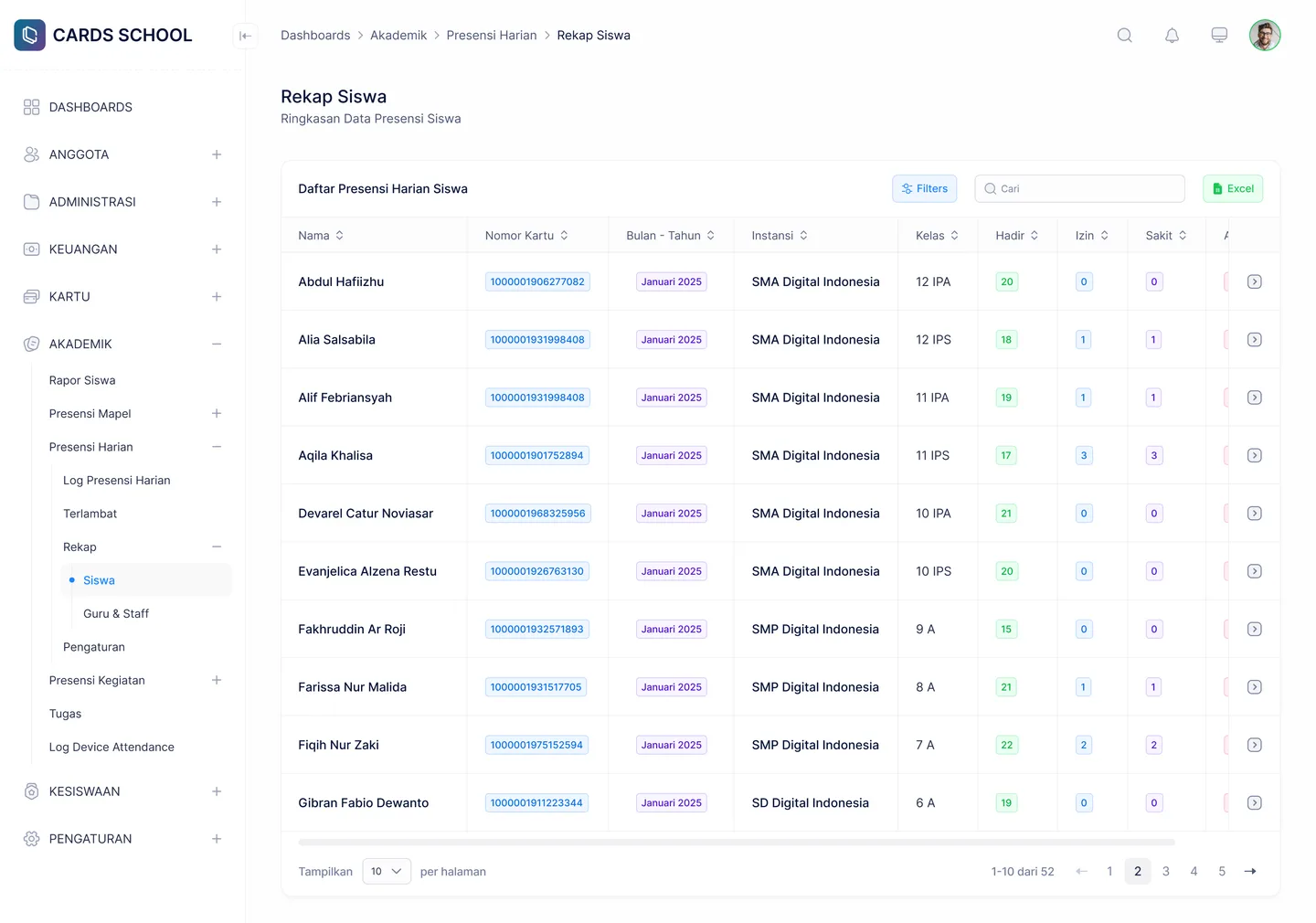
Student Attendance Summary
Per-student summary with search and filters
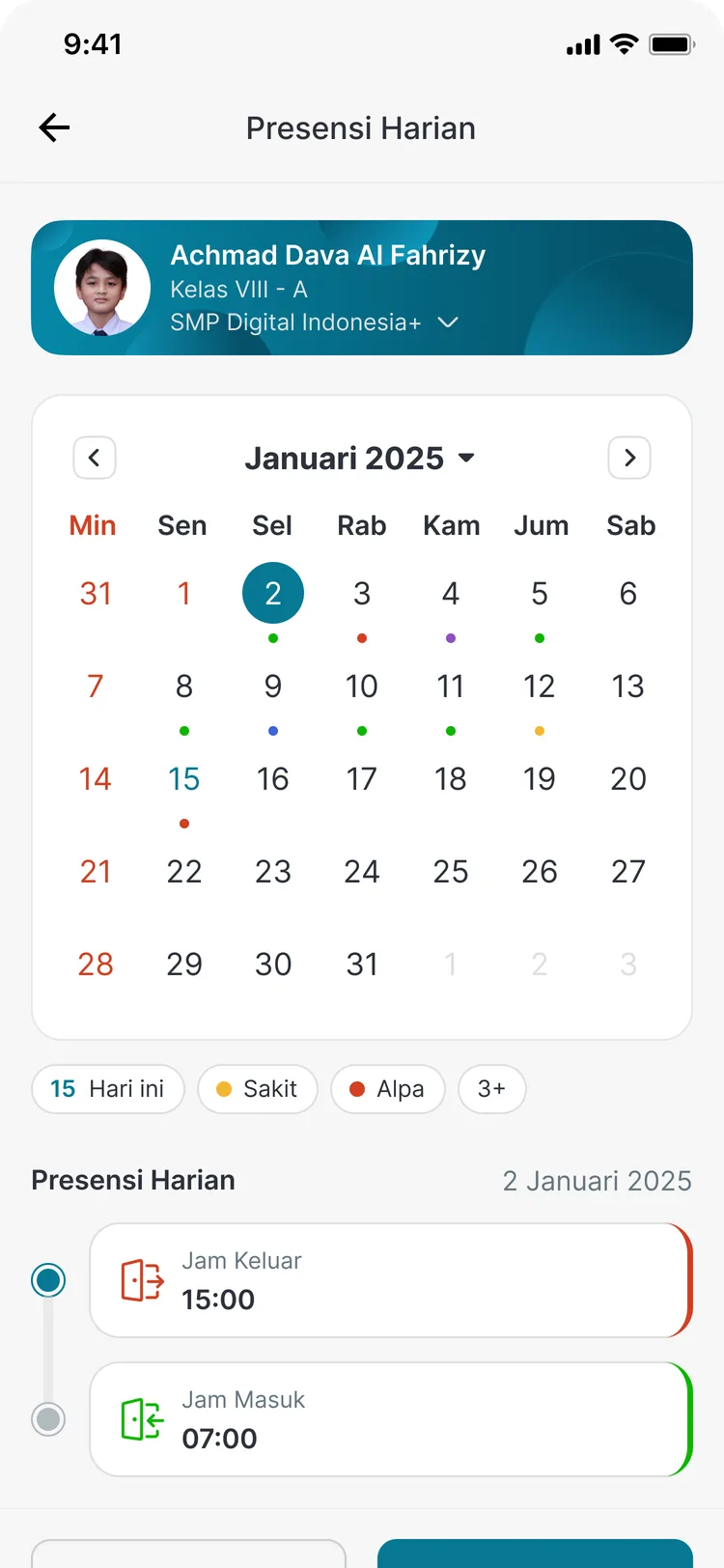
Attendance in the parent app
Parents see their child's attendance day by day
FAQ
Questions about Daily Attendance
- What if arrival times differ from day to day?
- The attendance schedule is set per day, Monday through Sunday. You can define different start times, end times, and maximum lateness thresholds for each one.
- Do teachers and students follow the same rules?
- They do not have to. There is an option to separate student attendance times from teacher and staff times, each with its own schedule.
- What if a student forgets their card?
- Staff can add attendance manually from the dashboard. The entry is recorded as a manual one, so it remains visible in the summary and can be audited.
Related features
More modules in Academics
- Lesson AttendanceTeachers record attendance per subject, and summaries build up per student.Learn more
- Activity AttendanceAttendance for activities outside lesson time, with summaries by activity or by student.Learn more
- Digital Report CardsReport cards produced digitally and opened by parents straight from the app.Learn more
See Daily Attendance working at your school
Free demo with our team — or start a trial and set up your own data.