
Cards & Transactions
A balance you can move, not one stuck on a single card
Transfer a balance between cards and read the financial summary from the same page
Money left on one child's card need not be locked there. The transfer feature lets a balance be moved, while the financial summary condenses what came in and what was spent so parents do not have to add it up from a long list of transactions.
- Move a balance from one card to another destination
- A summary of money received and money spent
- Incoming transfers recorded in the history
What you get
The balance is not locked
A remaining balance can be moved, for instance to a younger sibling's card or when a student changes cards — without a request that waits to be processed by hand.
A summary that saves time
Rather than reading through the history line by line, the financial summary already totals what came in and what was spent.
Transfers leave a record
An incoming transfer appears in the history with the originating card number, so the source of a balance can always be traced.
On the same page as the balance
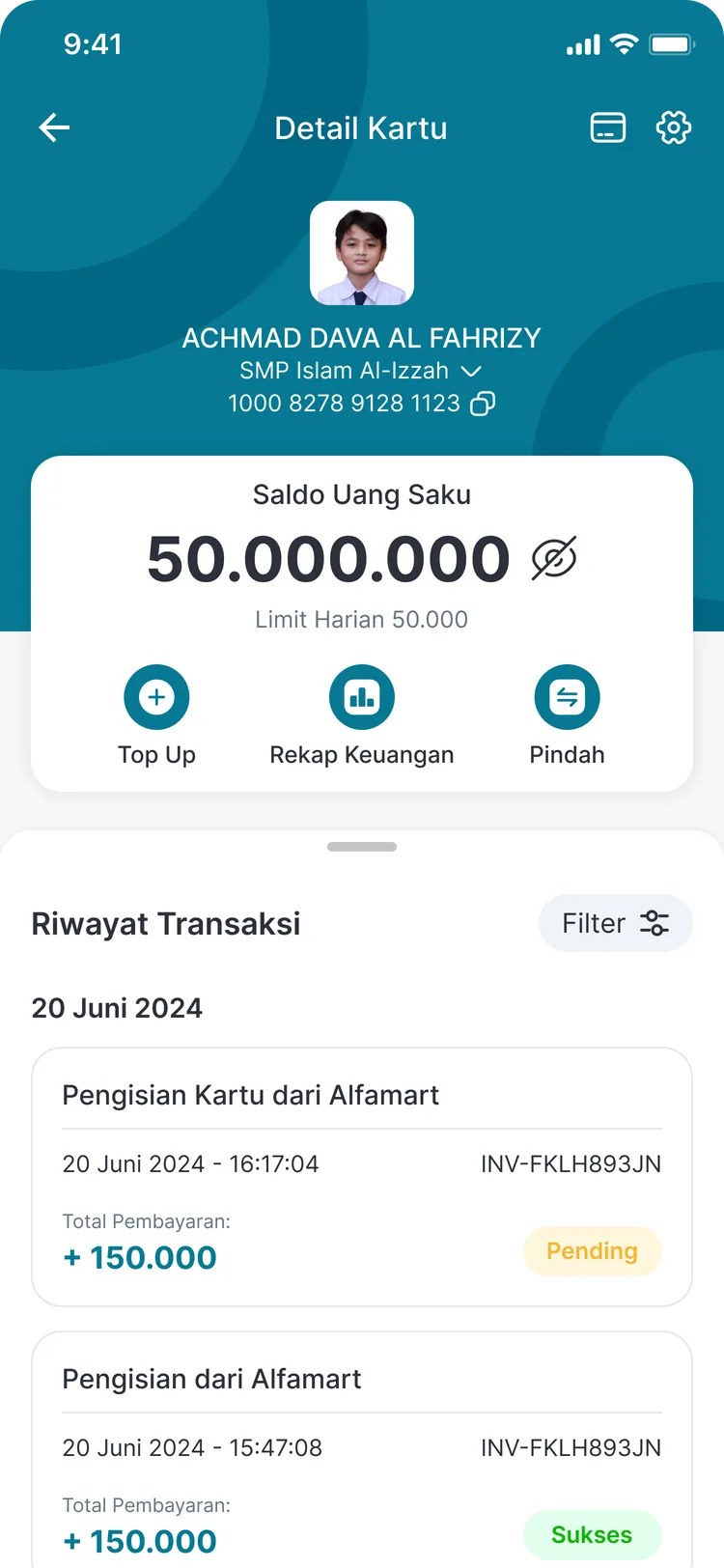
Top up, financial summary, and transfer sit side by side on the card detail page — no switching menus.
In the app
Transfer and summary from the card detail
The three main actions sit directly beneath the balance, with the full history below.
Card Detail
Top Up, Financial Summary, and Transfer in one row
FAQ
Questions about Balance Transfer & Summary
- Where can a balance be transferred to?
- Transfers are made between cards within the CARDS ecosystem. Every incoming amount is recorded in the destination card's history along with the originating card number.
- Is there a fee for transferring a balance?
- Fee terms follow your school's service configuration. The details are shown before the transfer is confirmed.
- What does the Financial Summary contain?
- The summary totals money received and spent on the card over a given period, as a condensed view of the more detailed transaction history.
Related features
More modules in Cards & Transactions
- Digital Student CardOne card for identity, attendance, and cashless spending — with parents fully in control.Learn more
- Card Top-UpAdd funds through retail chains, bank transfer, or the school counter — all in one history.Learn more
- Limits & Parental ControlsDaily limits, limit alerts, access management, PIN changes and resets, and card blocking from the app.Learn more
See Balance Transfer & Summary working at your school
Free demo with our team — or start a trial and set up your own data.