
Billing & Finance
Student savings run like a bank, not a paper passbook
Savings products, an account per member, and deposits and withdrawals recorded at every step
The school defines its own savings products, then opens accounts for students, teachers, and staff — one at a time or in bulk. Every deposit and withdrawal is recorded with its transaction type, timestamp, and PIN confirmation, so each balance can always be accounted for.
- Several savings products at once, matching your programmes
- Open accounts in bulk for students, teachers, or staff
- Cash and wallet transactions, each confirmed by PIN
What you get
Products that follow your programmes
Create more than one savings product with its own terms, then filter the account list by product or by institution.
Open accounts without doing it one by one
Bulk account creation is available for students, teachers, and staff — far quicker than registering each person individually at the start of the year.
Every transaction is confirmed
Deposits and withdrawals, whether cash or from a wallet, pass through PIN confirmation. A wrong PIN is rejected, so nothing goes through unapproved.
Accounts you can control
Accounts can be blocked, deactivated, reactivated, and have cards printed — all from the same account detail page.
In the app
From product to account statement
Savings staff work from two pages: the account list for the overall picture, the account detail for daily transactions.
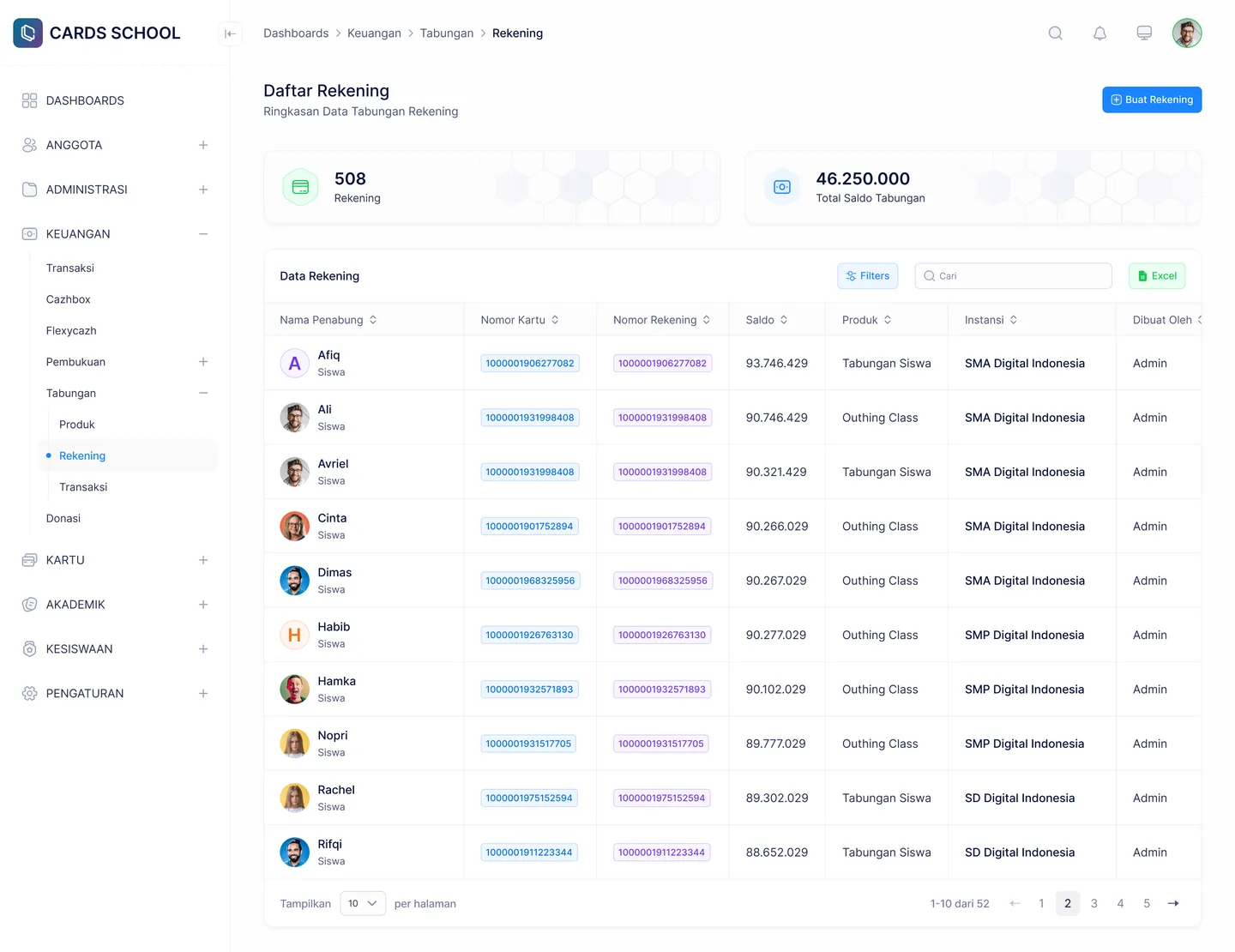
Accounts by Product
Filter by product, institution, and account status
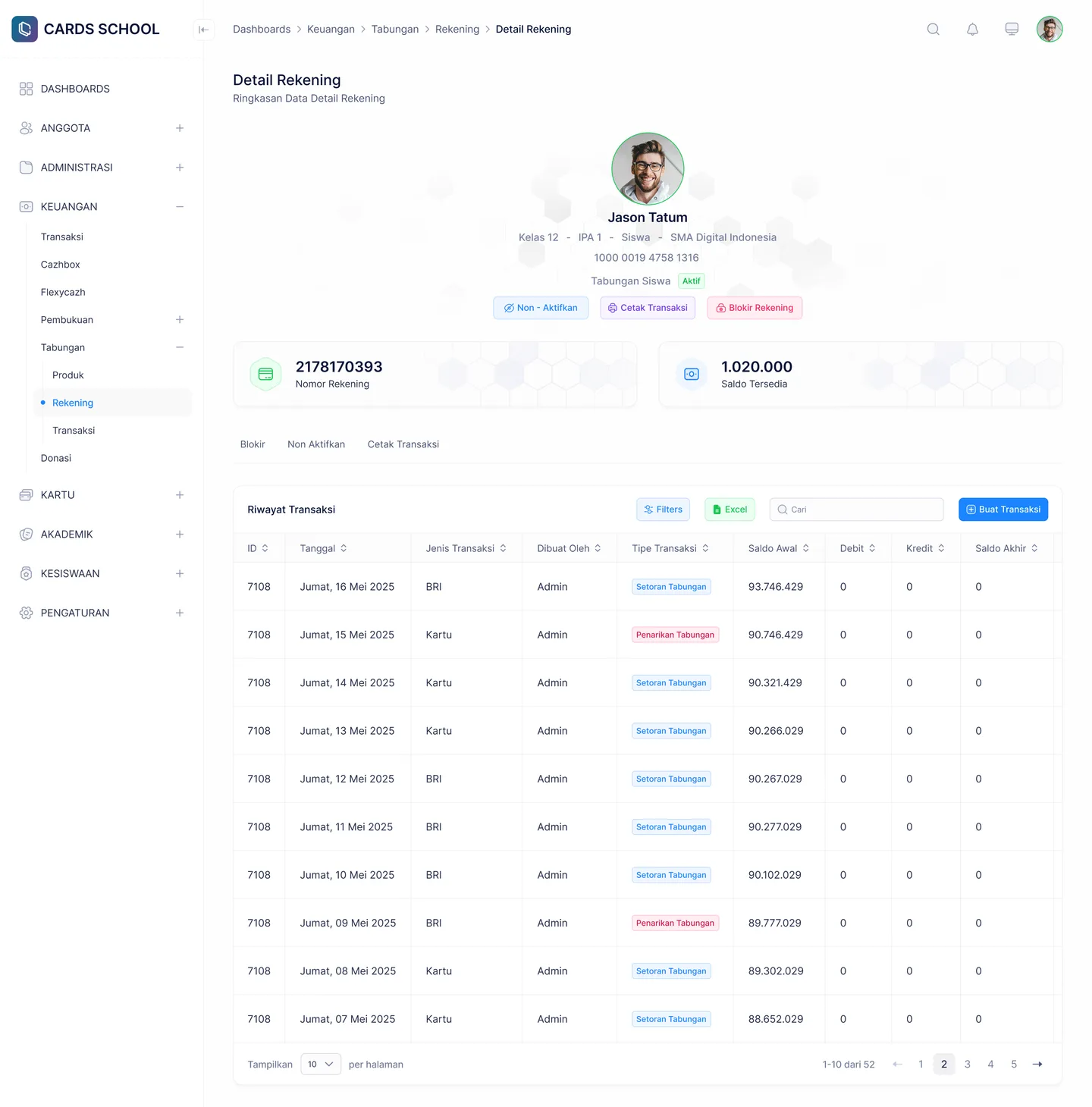
Account Detail
Statement, new transaction, block, and card printing
FAQ
Questions about School Savings
- Is this separate from the balance on the student card?
- Yes, the two are separate. The card balance is for daily spending such as the canteen, while savings is a deposit with its own product and terms.
- Can parents see their child's savings balance?
- Yes. School savings appear in the parent app, so the balance and statement are visible without having to ask a member of staff.
- What happens when a student transfers or graduates?
- The account can be deactivated or blocked before the balance is settled, and its status is recorded so it is never confused with active accounts.
Related features
More modules in Billing & Finance
- Billing & PaymentsIssue and collect every kind of school fee from one place, then take payment online.Learn more
- Instalments & ArrearsSee who is behind and by how much, and open up instalment options through FlexyCazh.Learn more
- Goal SavingsSavings with a goal and a timeframe — pilgrimage, graduation, or a school trip — with progress you can see.Learn more
See School Savings working at your school
Free demo with our team — or start a trial and set up your own data.